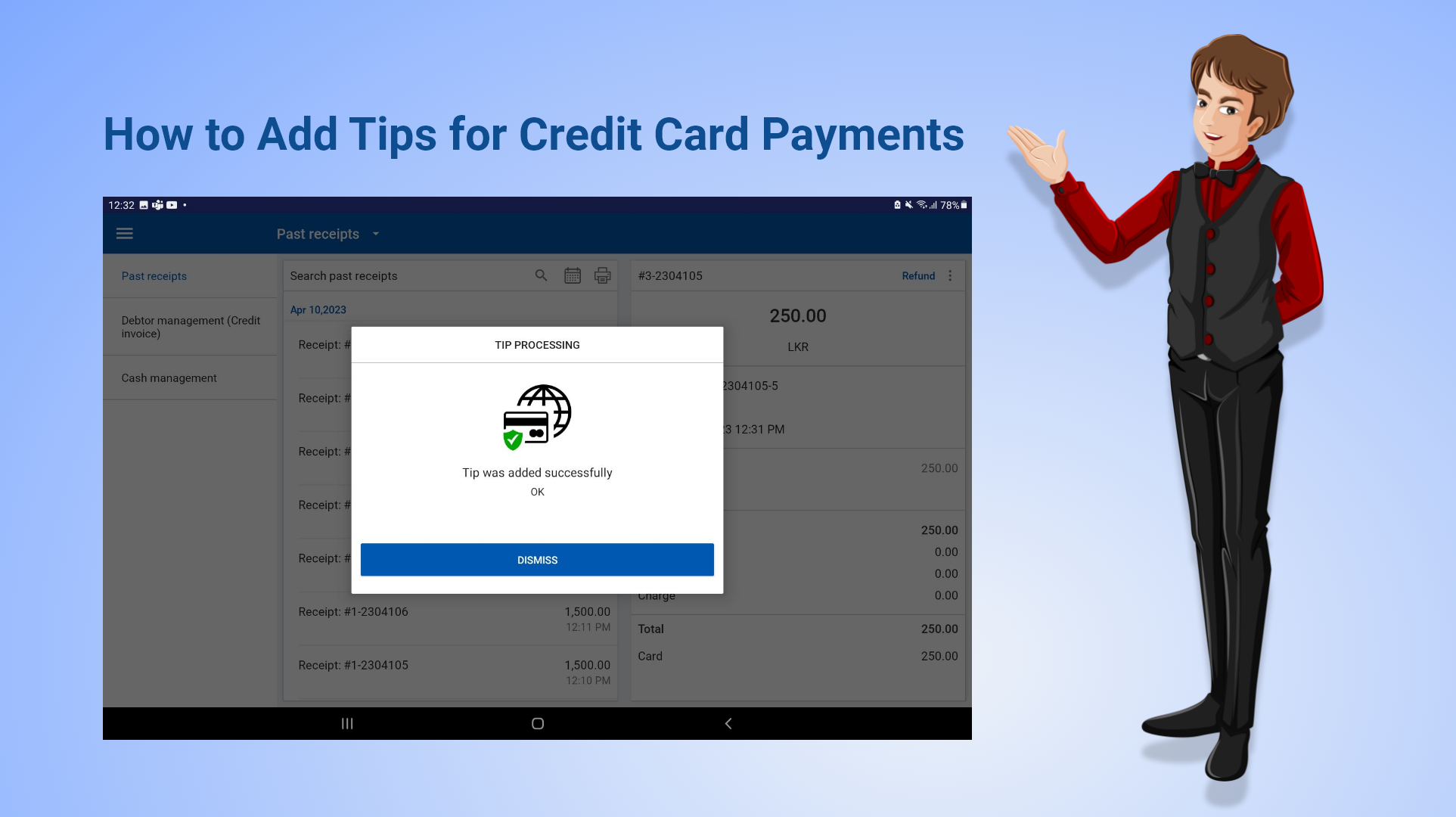
How to Add Tips for Card Payments
Overview
- Adding tips for credit card payments is an important feature in a POS system that enhances customer experience and increases business revenue.
- Vendtill POS allows you to add tips for card payments using supported gateways such as Wallee and PAX.
Step 1: Enable Card Payment Gateway
Step 2: Open Past Receipts
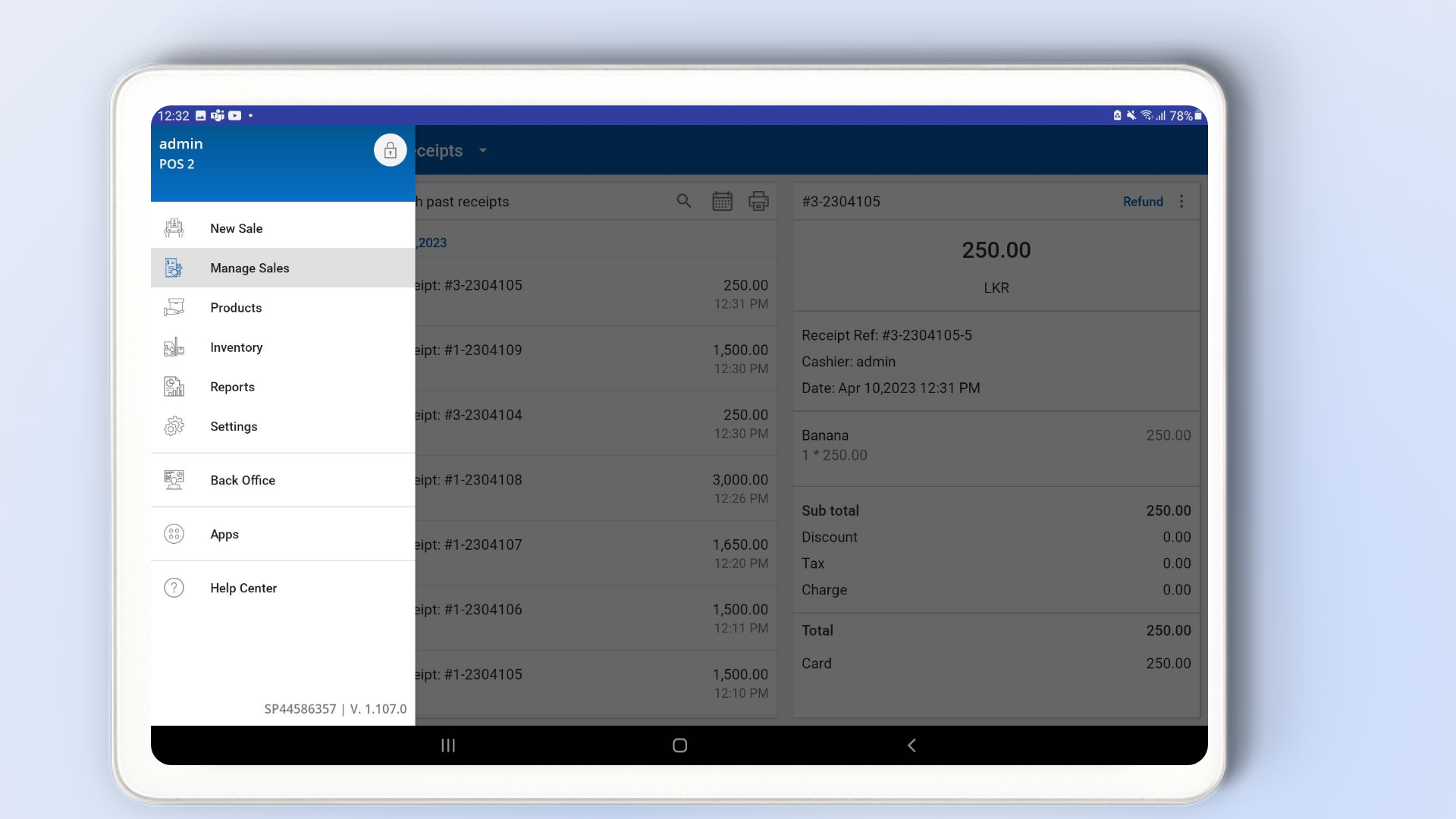
- Open the Vendtill POS App.
- Go to Main Menu → Manage Sales.
- Select Past Receipts.
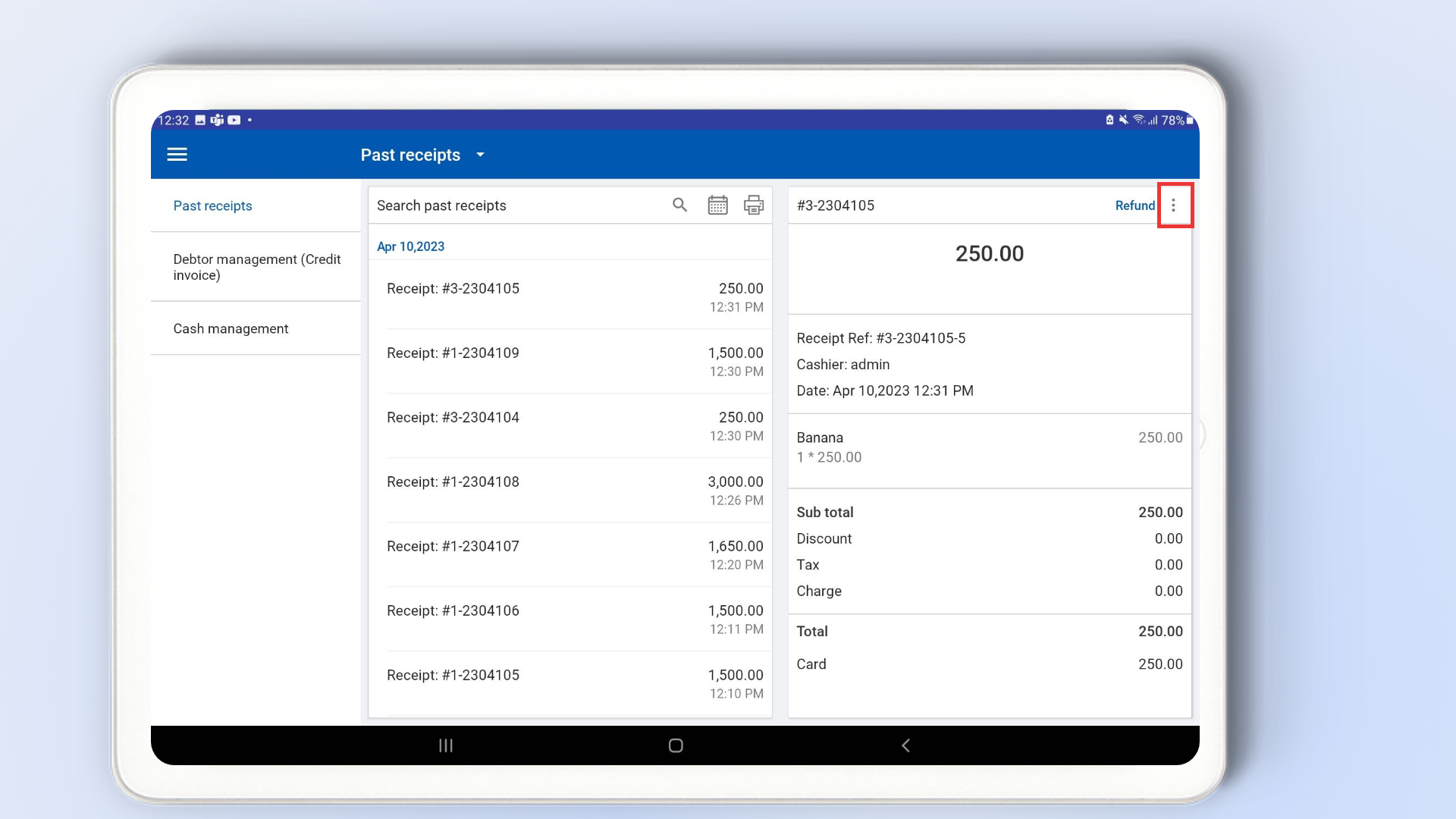
Step 3: Select the Receipt
- Select the completed transaction where you want to add a tip.
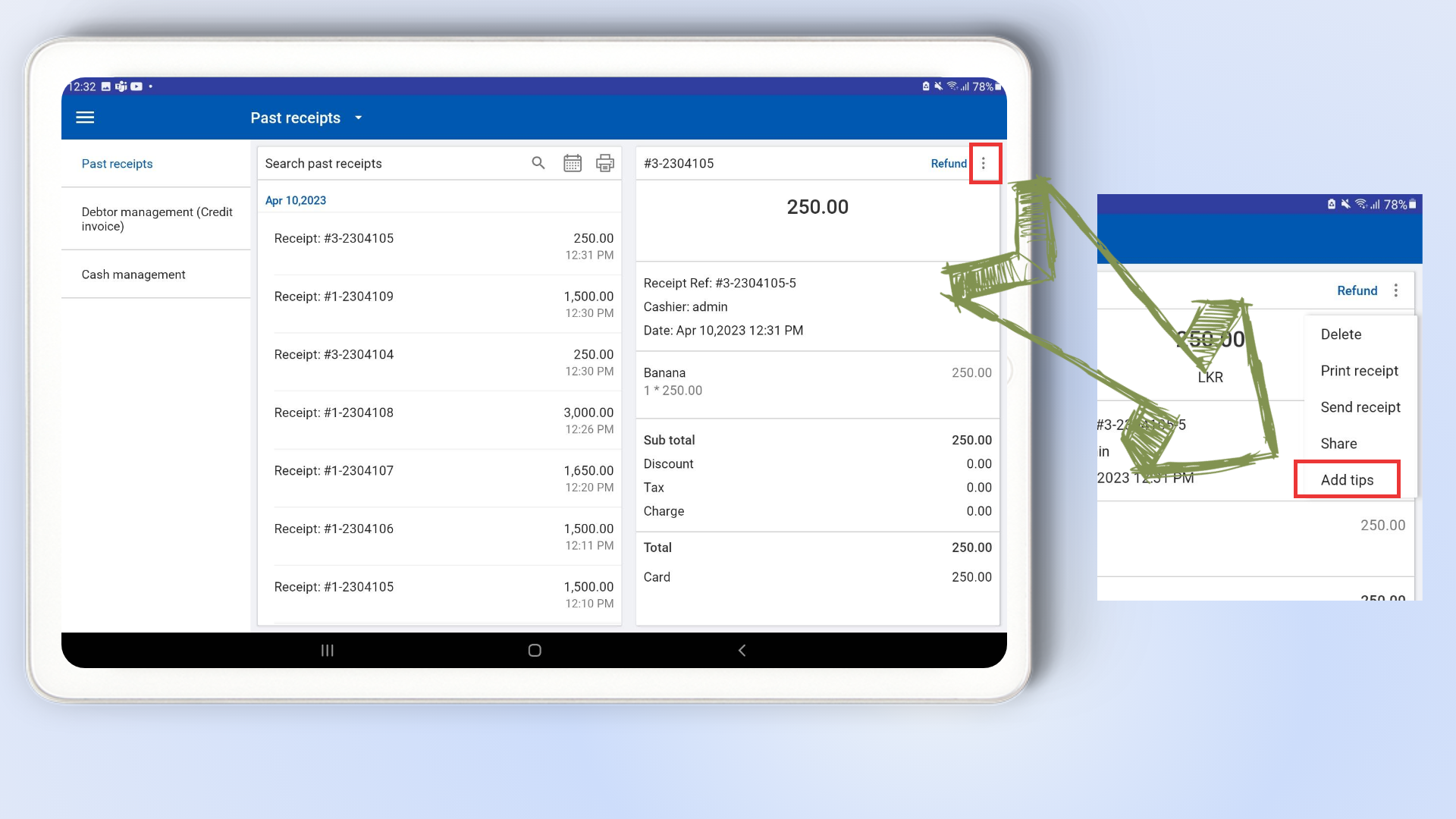
- Tap the three-dot (⋮) menu in the top right corner.
- Select “Add Tips” from the dropdown menu.
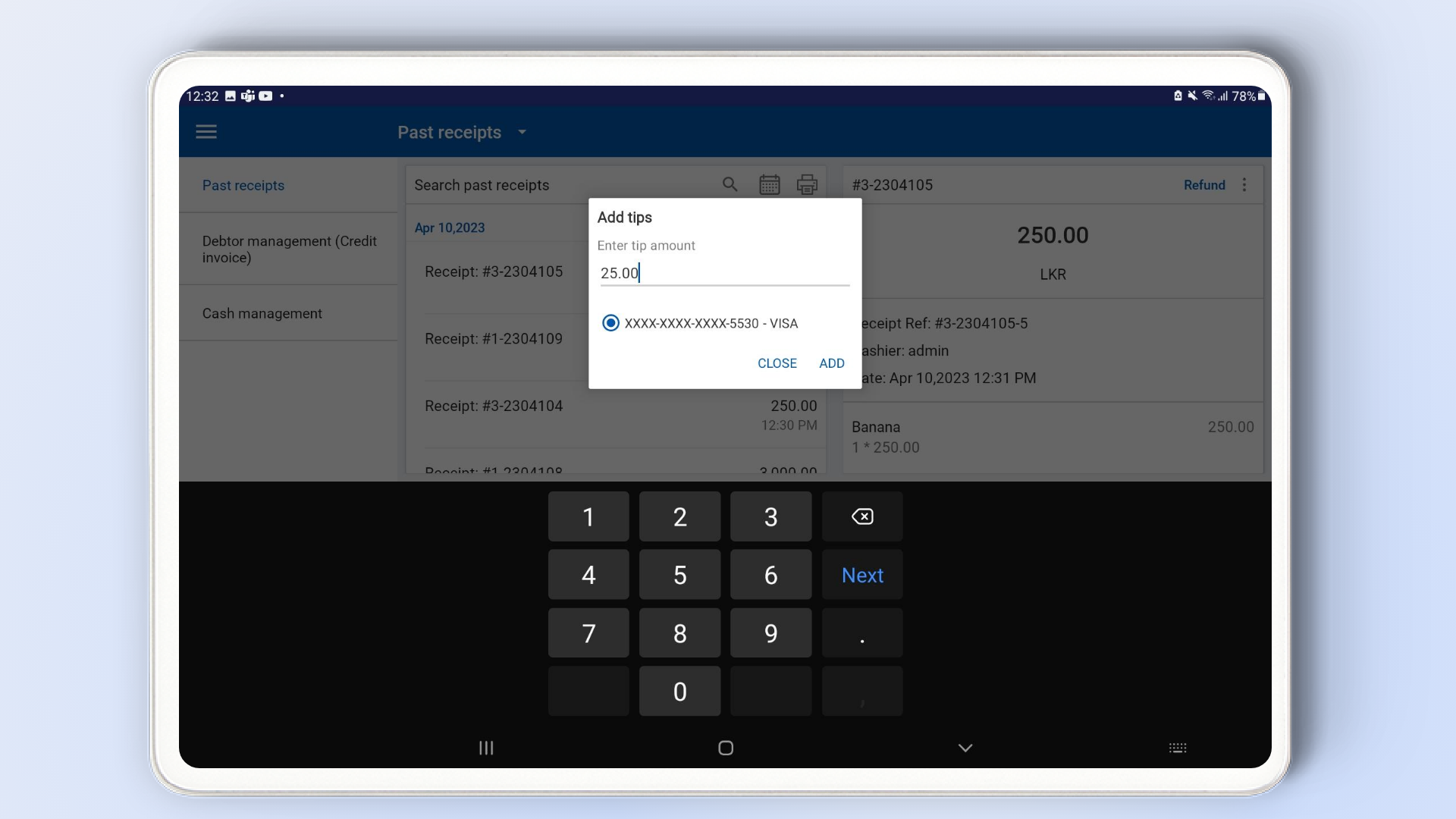
Step 4: Enter Tip Amount
- A pop-up window will appear to enter the tip amount.
- The tip will be charged to the same credit card used for the original purchase.
- Enter the desired tip amount.
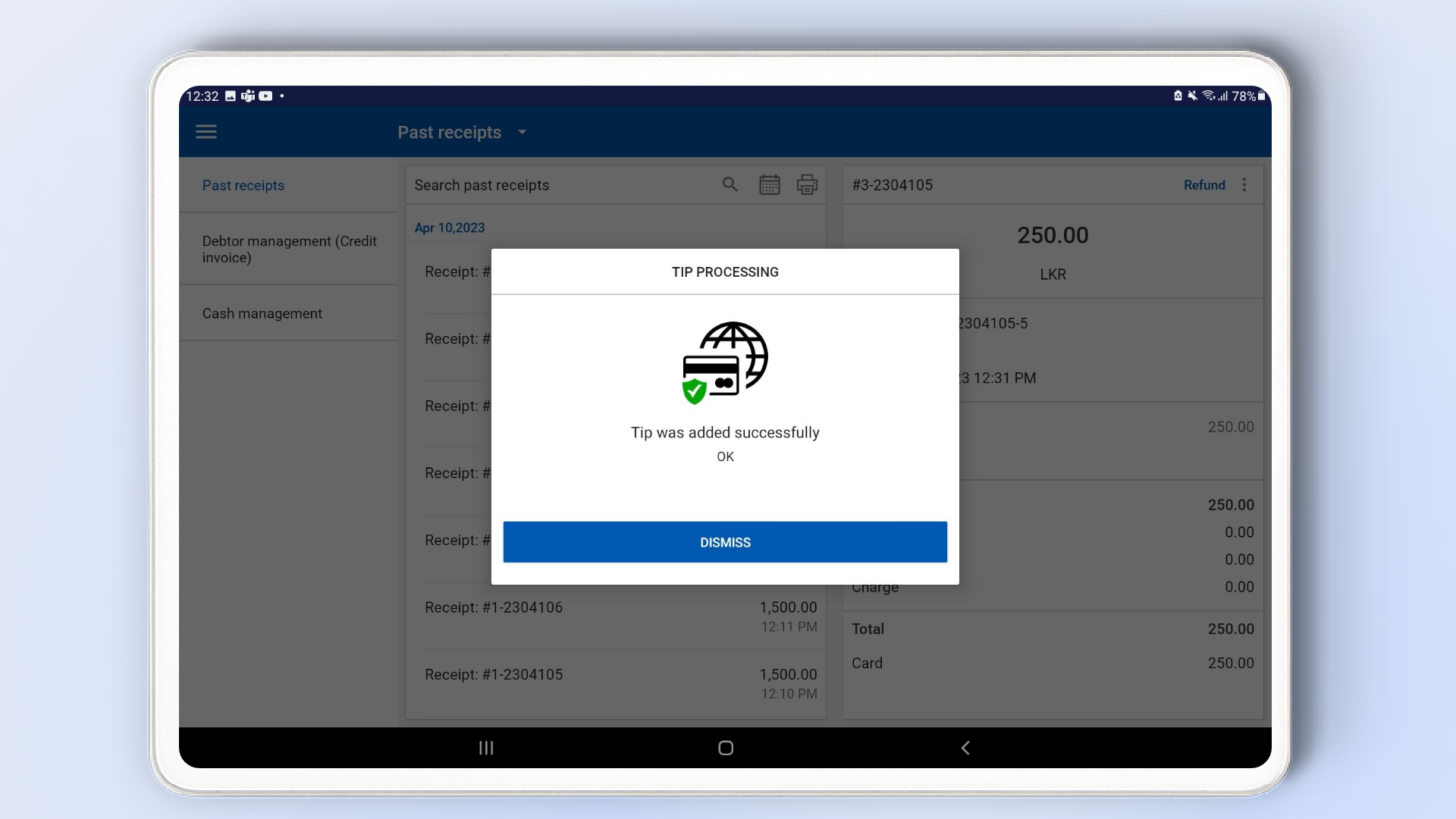
- Click “Add” to confirm.
Related Articles
How to Add Subscription Payment Methods
How to Add Subscription Payment Methods Vendtill Back Office Special Notes If you wish to delete your card information entirely, please use the "My Profile" section in your backoffice. If you choose to delete your profile, please be aware that your ...
How to Add a Payment Gateway
How to Add a Payment Gateway Vendtill Back Office Vendtill POS supports integration with PAX and Wallee payment devices, enabling seamless card transactions directly through your POS system. Step 1: Add Payment Gateway via Back Office Login to POS ...
How to Subscribe Add-ons Advanced Inventory
How to Subscribe Add-ons / Modules Advanced Inventory Vendtill Back Office Subscription for Advanced Inventory The Advanced Inventory module is one of our add-ons, allowing you to perform various tasks such as creating Purchase Orders PO, generating ...
How to Subscribe Add-ons Employee Management
How to Subscribe Add-ons / Modules Employee Management Vendtill Back Office Subscription to Employee management In Vendtill billing and subscription, the Employee Management module offers the capability to create employees (users and cashiers), ...
How to Add Measurements
How to Create Measurements Vendtill Back Office > Main menu > Products Login to POS Back Office > Select “ Products” from main menu >. Go to the “Measurements” Click “ Add Measurements” button Enter measurement name (Maximum 3 letters) > Click “save” ...