How to Change My Profile Details
How to Change My Profile Details

Go to 'Vendtill Back Office' > Profile Section 'Admin' > My profile
Change My Profile Details
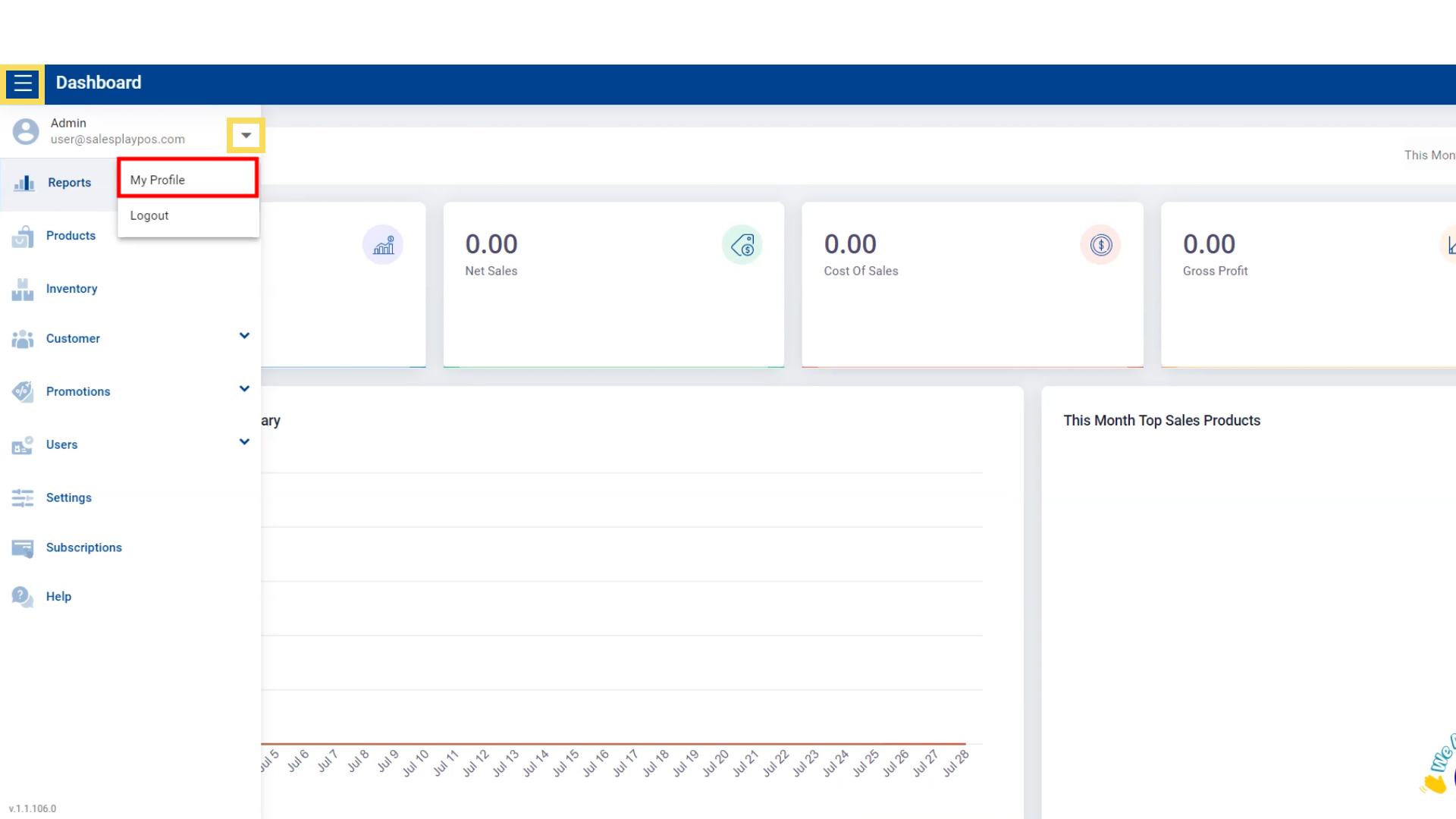
- Go to 'Main Menu'.
- Select 'Admin' profile section.
- Go to 'My Profile'.
Change Timezone
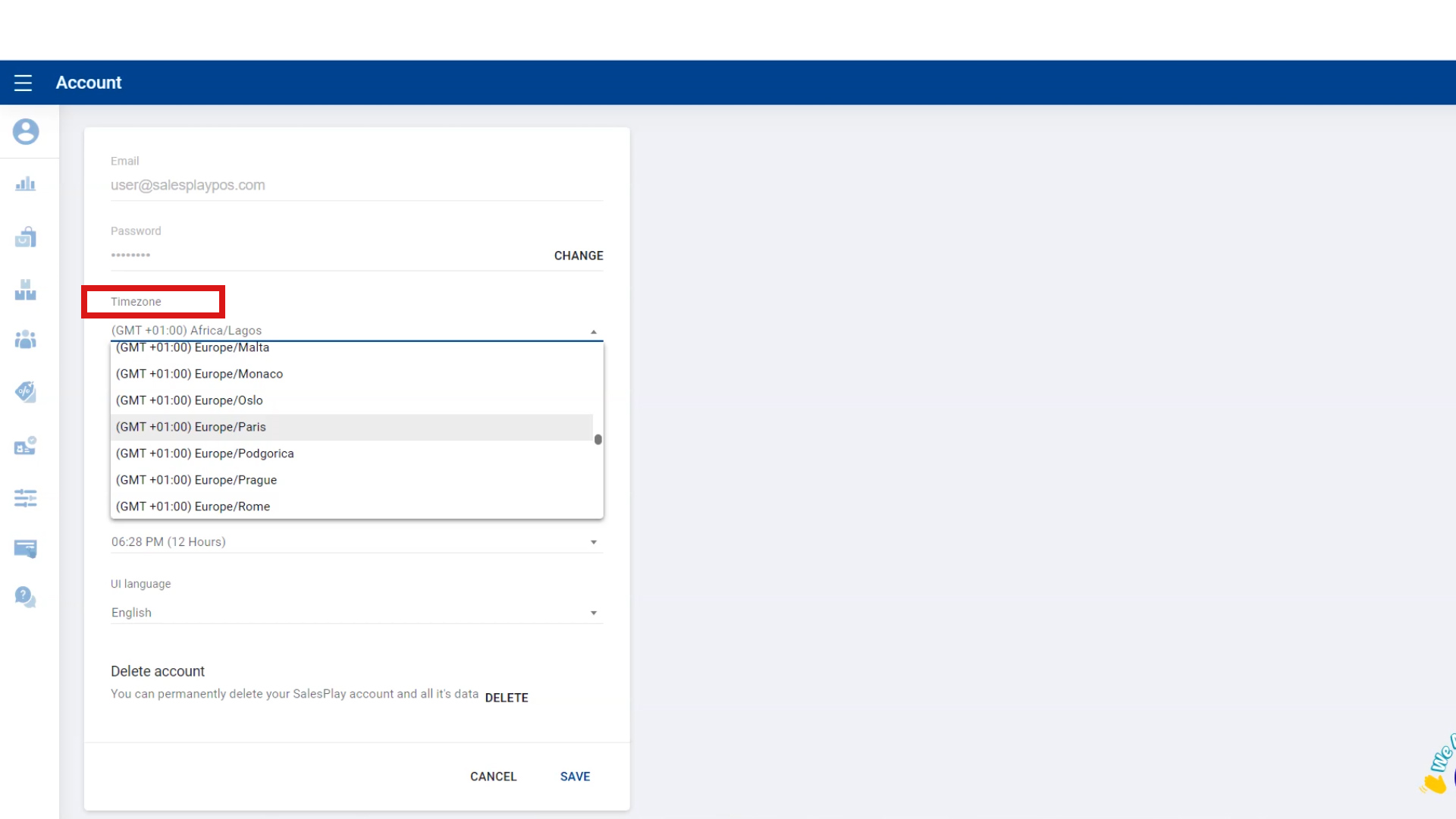
Go to 'Timezone' , click on the dropdown menu and select your timezone.
Change Date Format
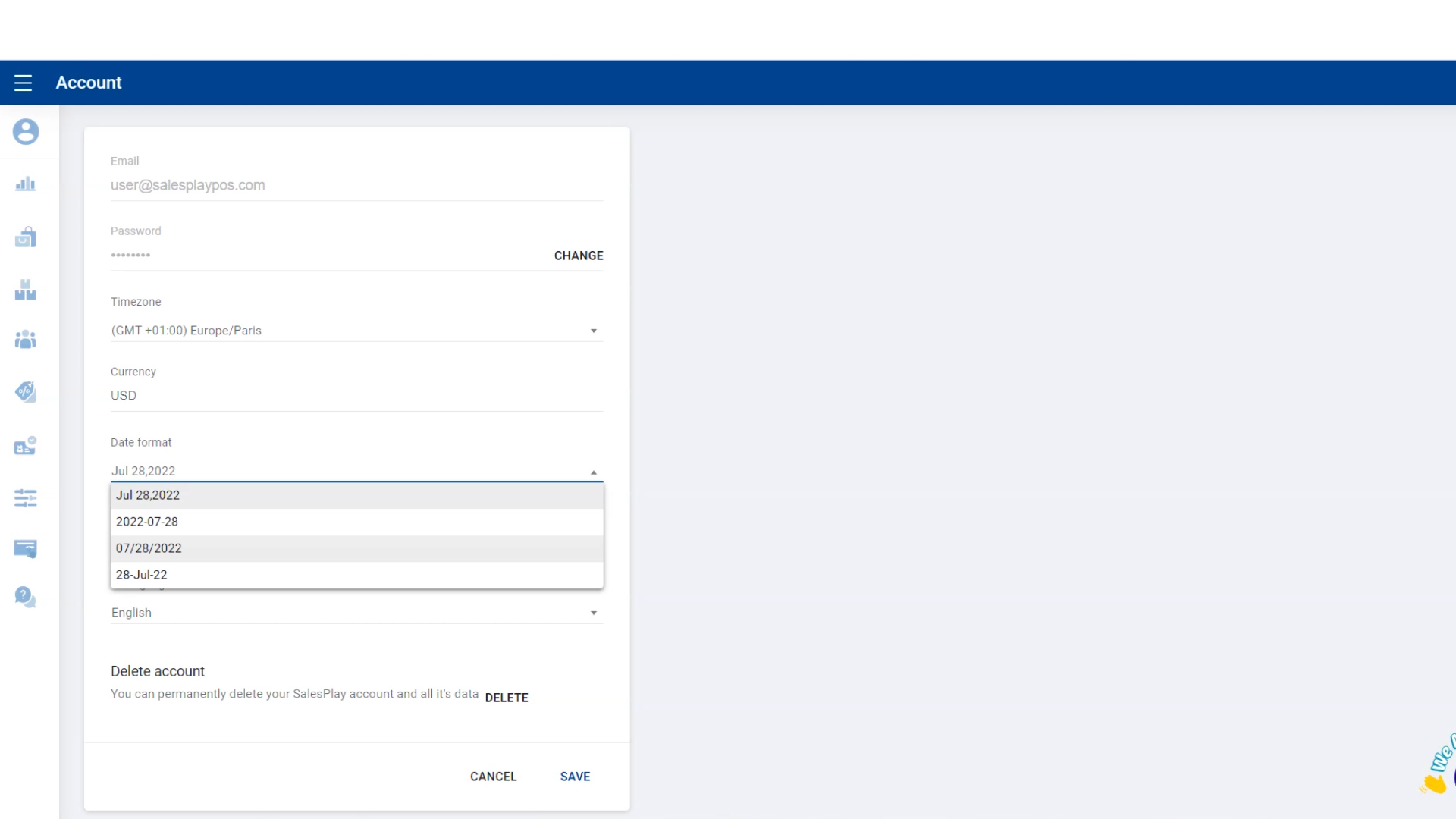
- Go to 'Date format' , click on the dropdown menu and select the data format you want.
Change Time Format
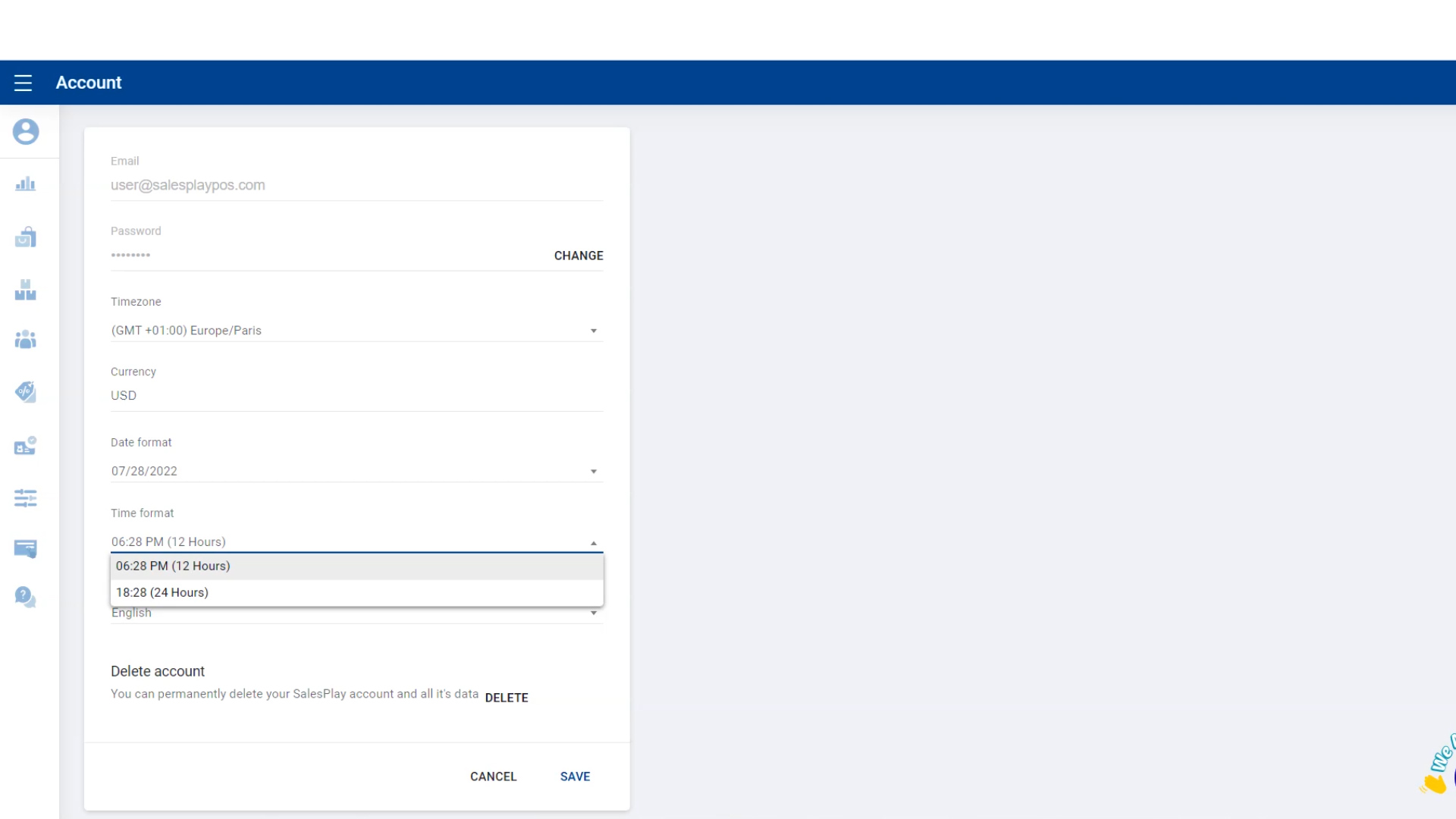
- Go to 'Time format' , click on the dropdown menu and select the time format you want.
Change The Language
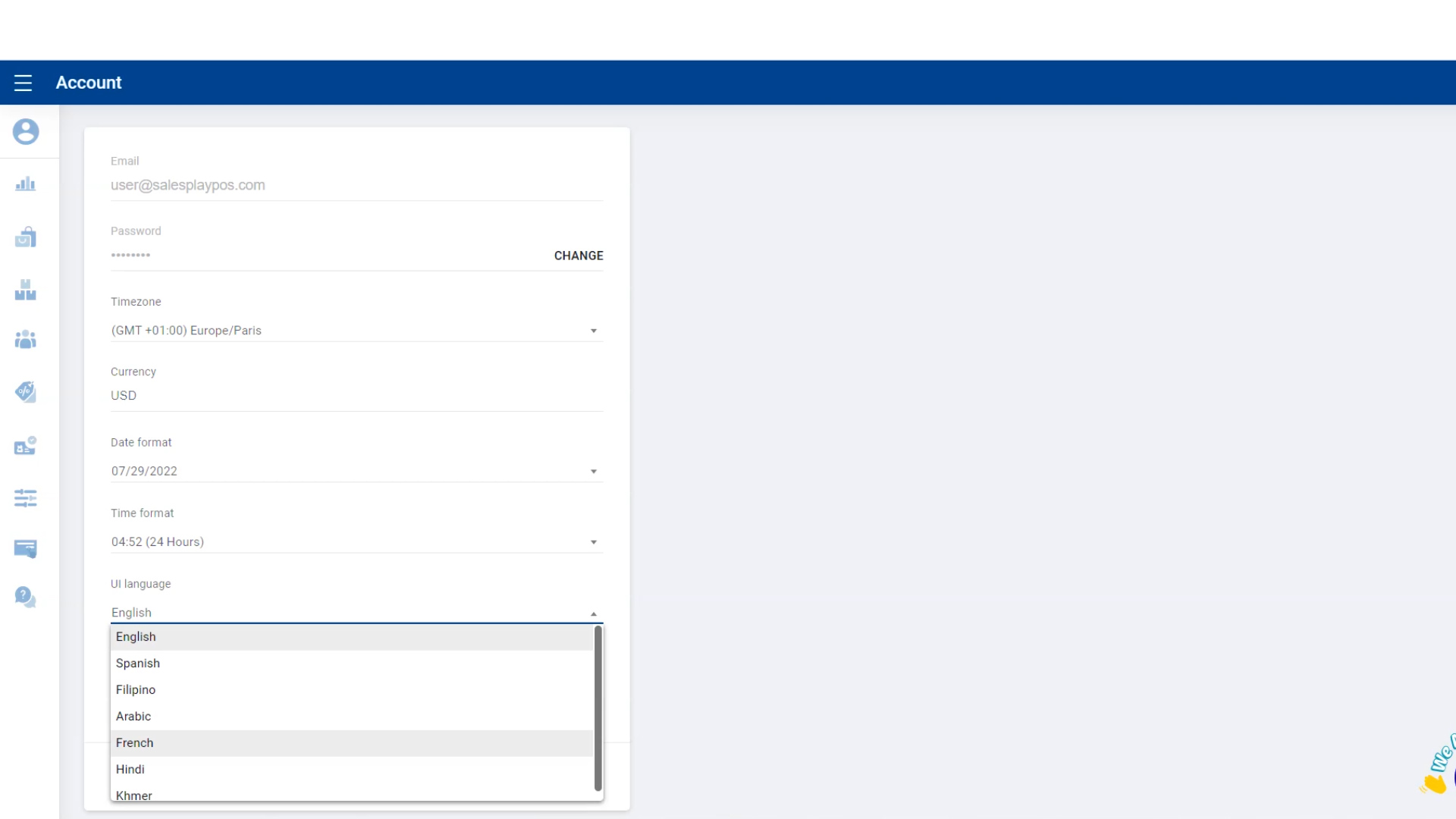
- Go to 'UI language' , click on the dropdown menu and select the language you want.
Save Changes
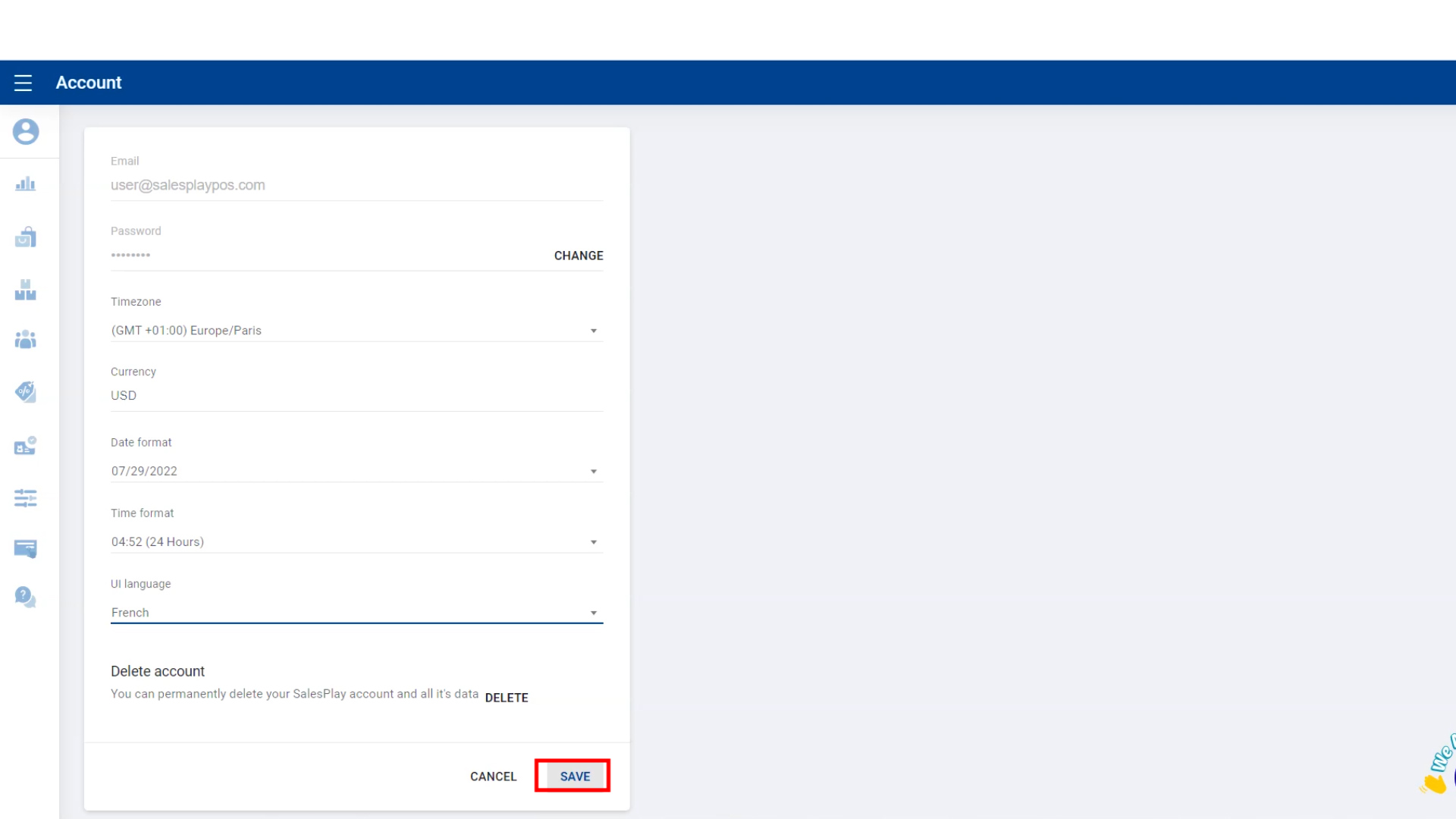
- Click 'SAVE' button .
Related Articles
How to Share Product Details
Vendtill POS allows businesses to share Product Details via various social media messaging platforms. This feature enables sending product images, names, and prices directly to customers, helping businesses respond quickly to inquiries and boost ...How to Change Language
Language Settings Guide Step-by-step Vendtill POS offers three language customization options to help businesses serve a global audience: Receipt Printing Language – Change the language used for printed receipts. POS App UI Language – Change the ...How to Do a bulk price change
How to Do a bulk price change Vendtill Back Office 1.How to Do Bulk Price Change POS System allows user to do a bulk price change. Product’s price change can be done via one-by-one using POS App and Back Office side. Bulk price change can be done via ...How to Change and Reset Account Password
How to Change and Reset Account Password Go to 'Vendtill Back Office' > Profile Section 'Admin' > My profile Change Account Password Go to 'Main Menu'. Select 'Admin' profile section. Go to 'My Profile'. Change Account Password Click 'CHANGE' button. ...How to Change POS App Item Cart Layout
How to Change the POS App Home Screen Layout Vendtill POS App POS App Home Screen Layout Vebdtill POS offers a comprehensive solution for tailoring the main interface to align with diverse business needs. Whether emphasizing visuals, facilitating ...