How to Merge Open Bills in POS
How to Merge Open Bills in POS

POS App > New Sale > Open bills
1. Merge Open Bills in POS
- Merge bill function can be defined as the process of combining several receipts in to one receipt.
- For example, in a restaurant several friends are dining in a table. Later few more friends are coming to the restaurant and sit on a separate table. Once they all done the dining, one friend wants to settle all two tables’ bill in to one bill. Merge function is useful to solve above scenario.
2. Merge Open Bills in POS
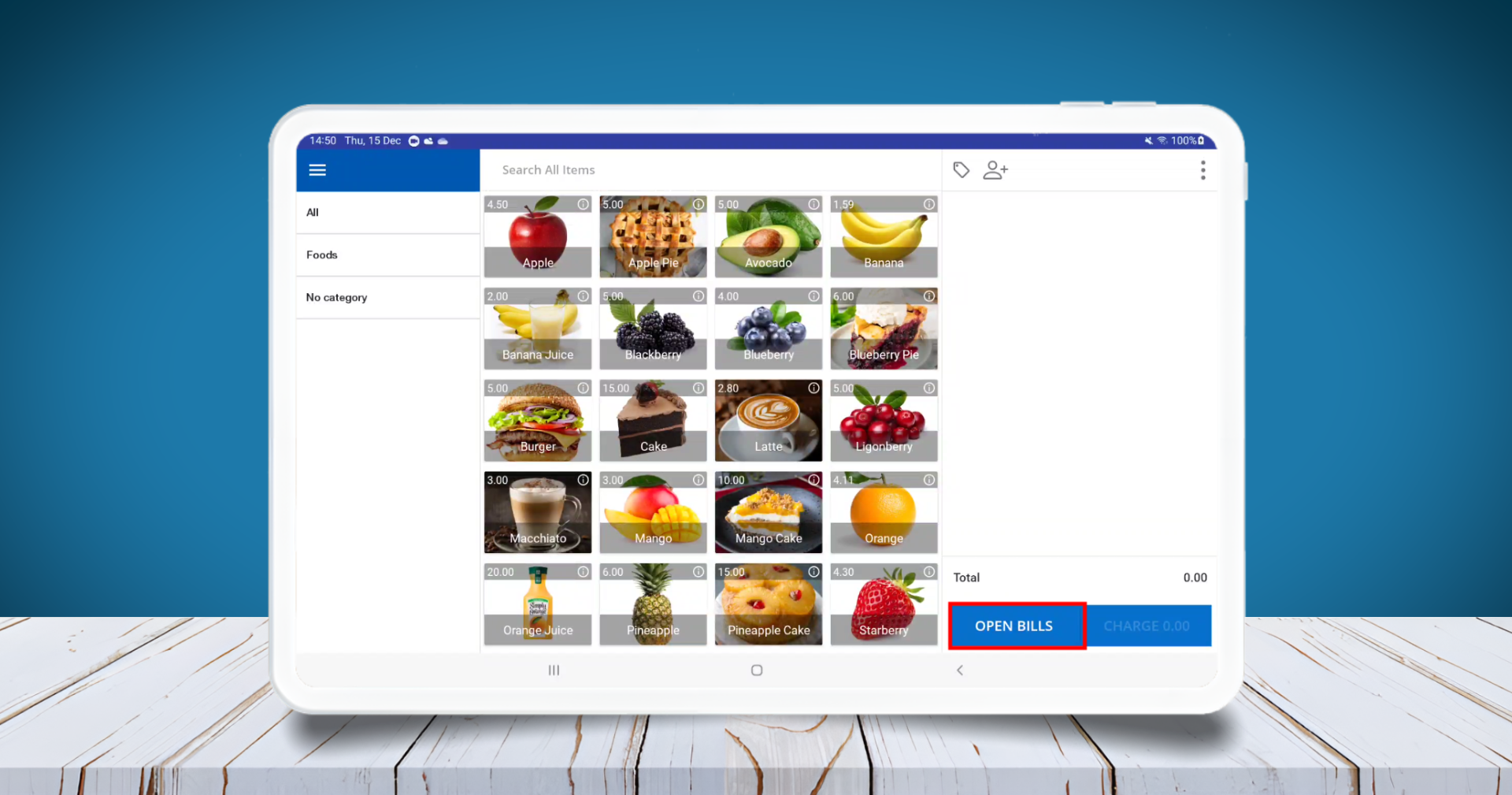
- POS App main menu
- Select “ New Sale”
- Click “Open Bills”
3. Merge Open Bills in POS
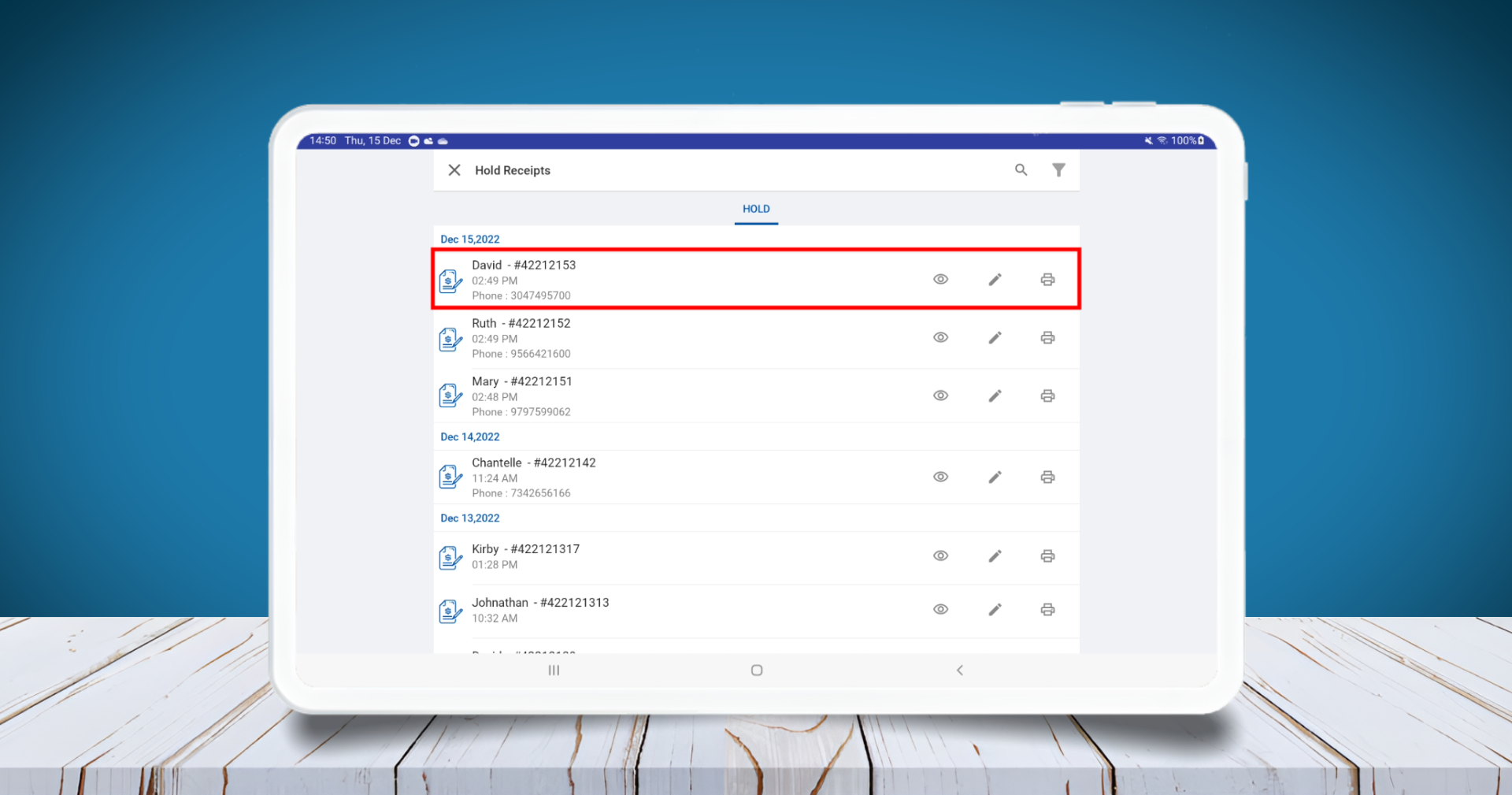
- Long press a receipt till the Tick mark appear
4. Merge Open Bills in POS
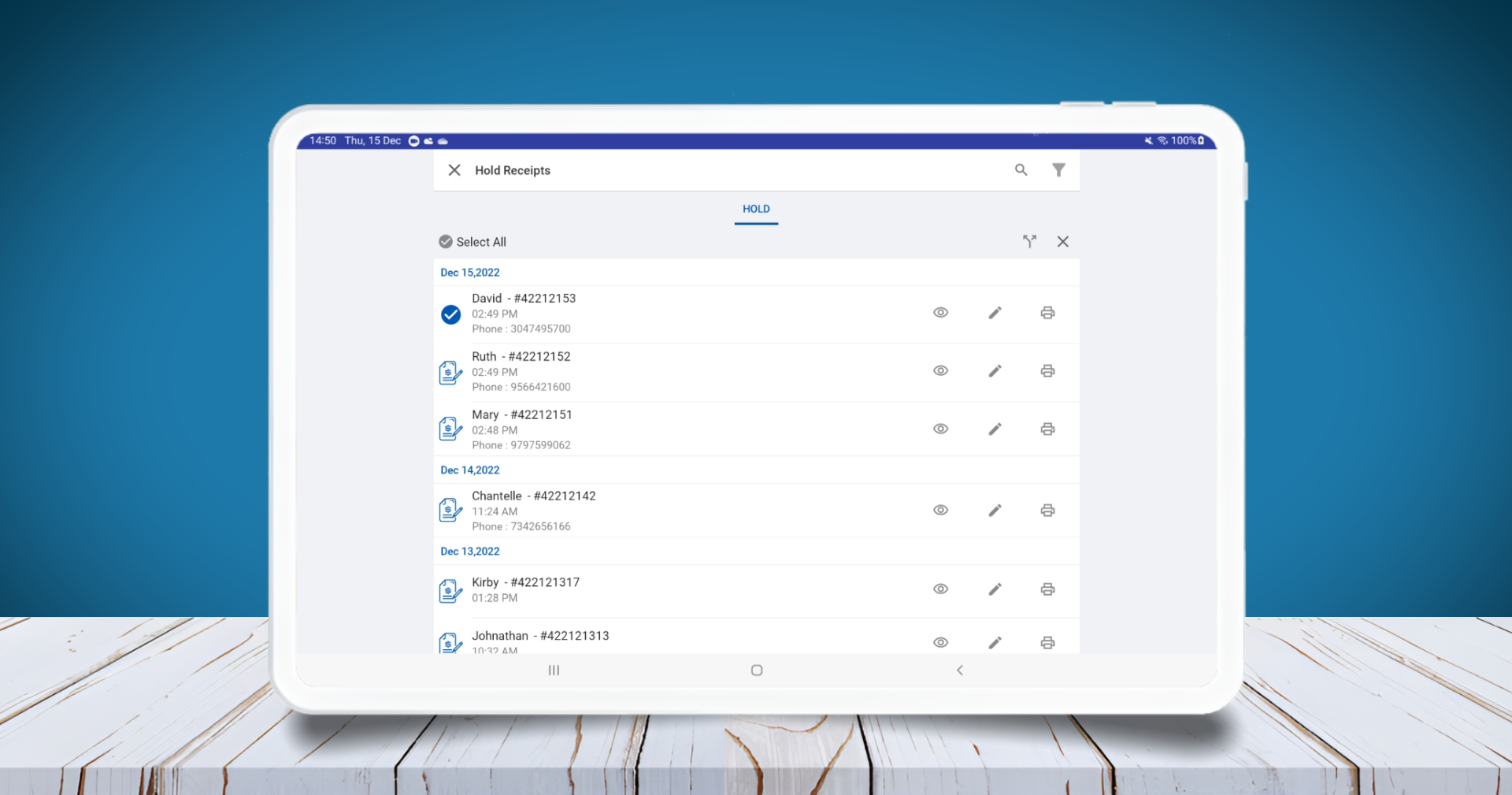
- Now again press the other receipt or receipts which need to Merge / Combine
5. Merge Open Bills in POS
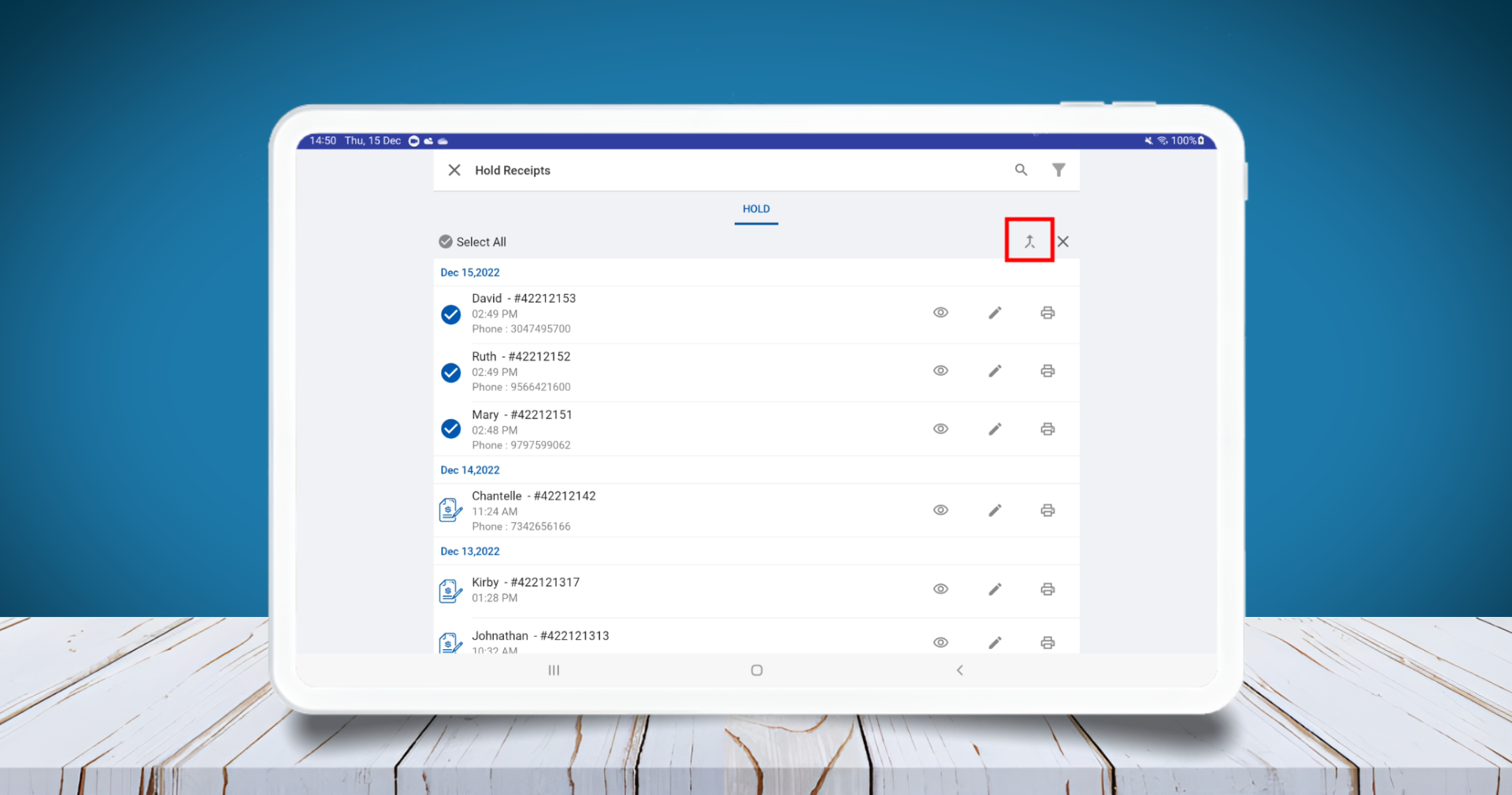
- Click the Merge / Combine icon
6. Merge Open Bills in POS
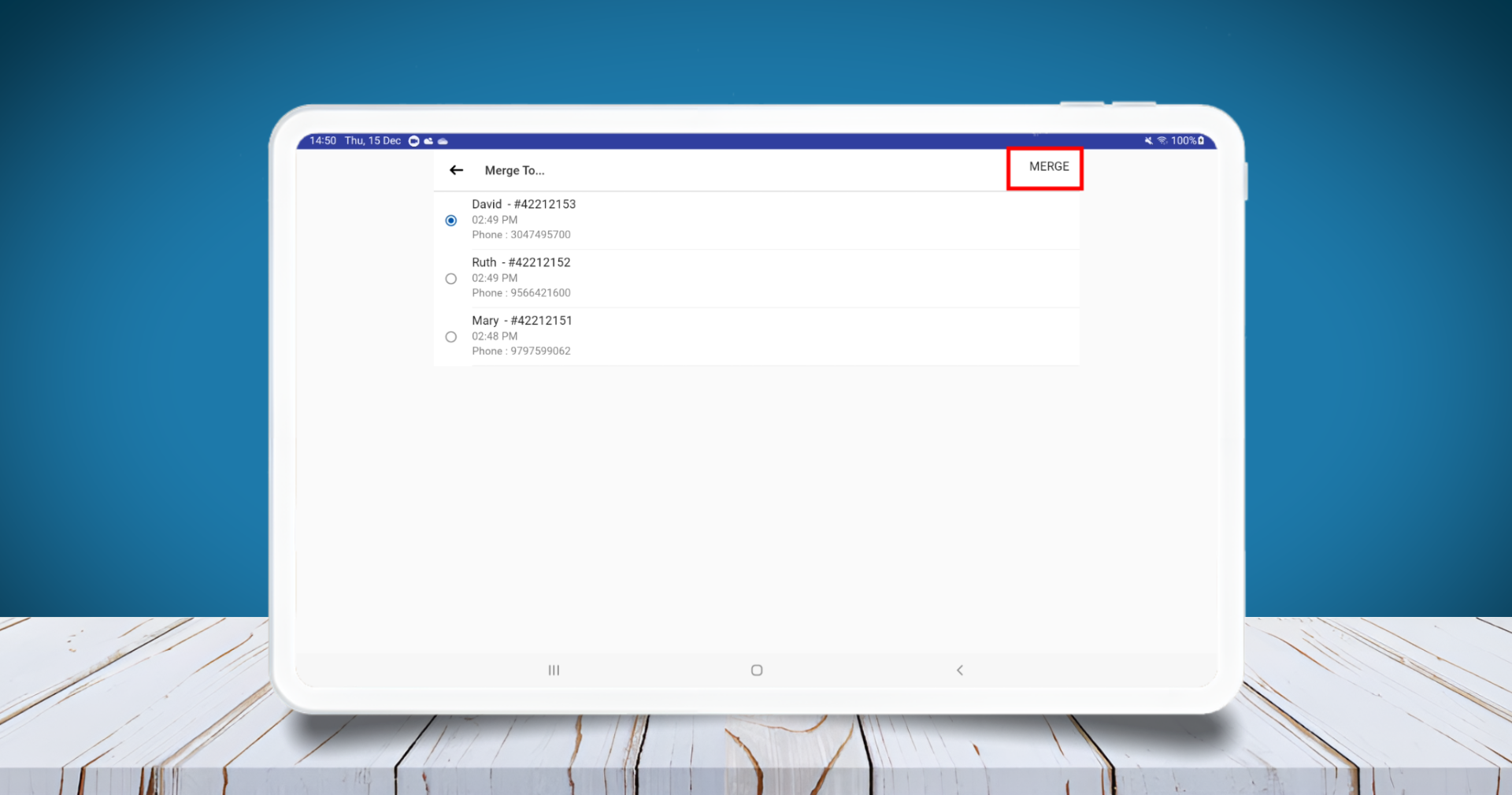
- Select the receipt number which need final bill
- Click “Merge” button
(Once done the Merge, user can click on the receipt and proceed to payment )
Related Articles
How to Merge Tables in Web POS App
In Vendtill Web POS, you can allow customers to reserve multiple tables and settle all tables’ bills into a single payment. This guide walks you through the step-by-step process to merge tables efficiently. Step 1: Log In and Select Items Log in to ...How to Split OPEN Bills in POS
Split Orders / Split Check Vendtill POS App Follow these steps to split an open order into multiple bills: 1. Open the Order Go to Open Orders from the POS screen. Select (tick) the order you want to split. 2. Access the Split Option Tap the Split ...How to Use Open Orders Function
The Open Orders feature in Vendtill POS allows users to put a receipt on hold when a customer wants to add more items later. This ensures the cashier can continue serving other customers while keeping the held receipt editable until the customer ...How to Use Open Bill Sync Option
How to Use Open Bill Sync Option Vendtill Back Office Vendtill Open Bill Sync Option The "Hold Receipt Sync" function can be defined as the process of syncing hold receipts to other terminals inside a business location. For example, in a restaurant, ...Change Drawer ESC POS Commands
How to Change Drawer ESC/POS Commands in the POS System Step-by-step The cash drawer in the POS system operates using ESC/POS commands that communicate with the connected printer. If your cash drawer fails to open, you may need to update or modify ...