Quickly Add an Customer to the Receipt
How to Quickly Add an Customer to the Receipt

Step-by-step guide
1. How to Quickly Add an Customer to the Receipt ?
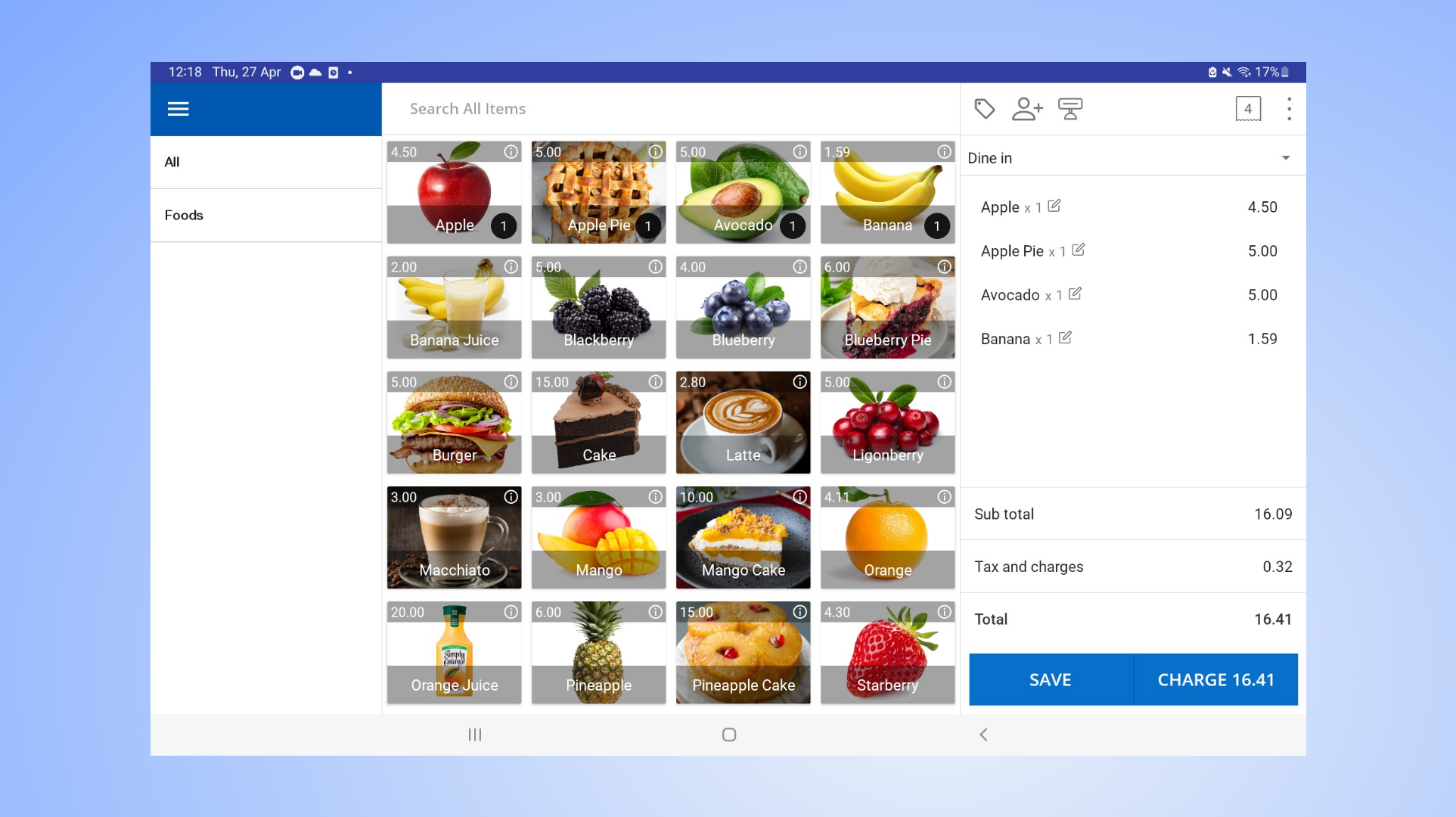
- In order to assign an employee to the receipt, it is necessary to have set up 'Other staff' profiles within the POS system.
- Open POS app
- Add products to the cart
2. How to Quickly Add an Customer to the Receipt
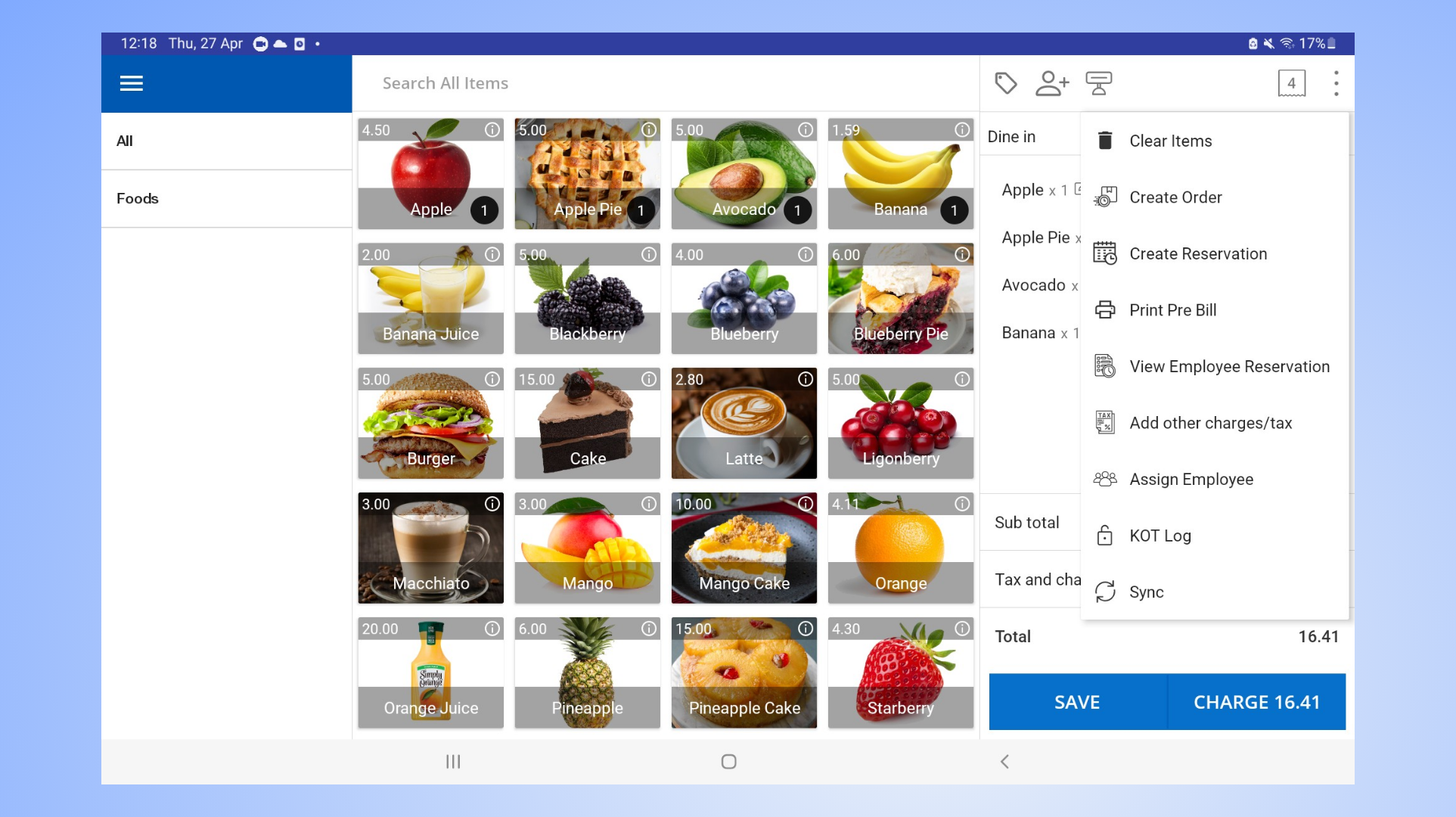
- Click the 3-dot button in the top right corner
- Select 'Assign employee'
3. How to Quickly Add Customer to the Receipt
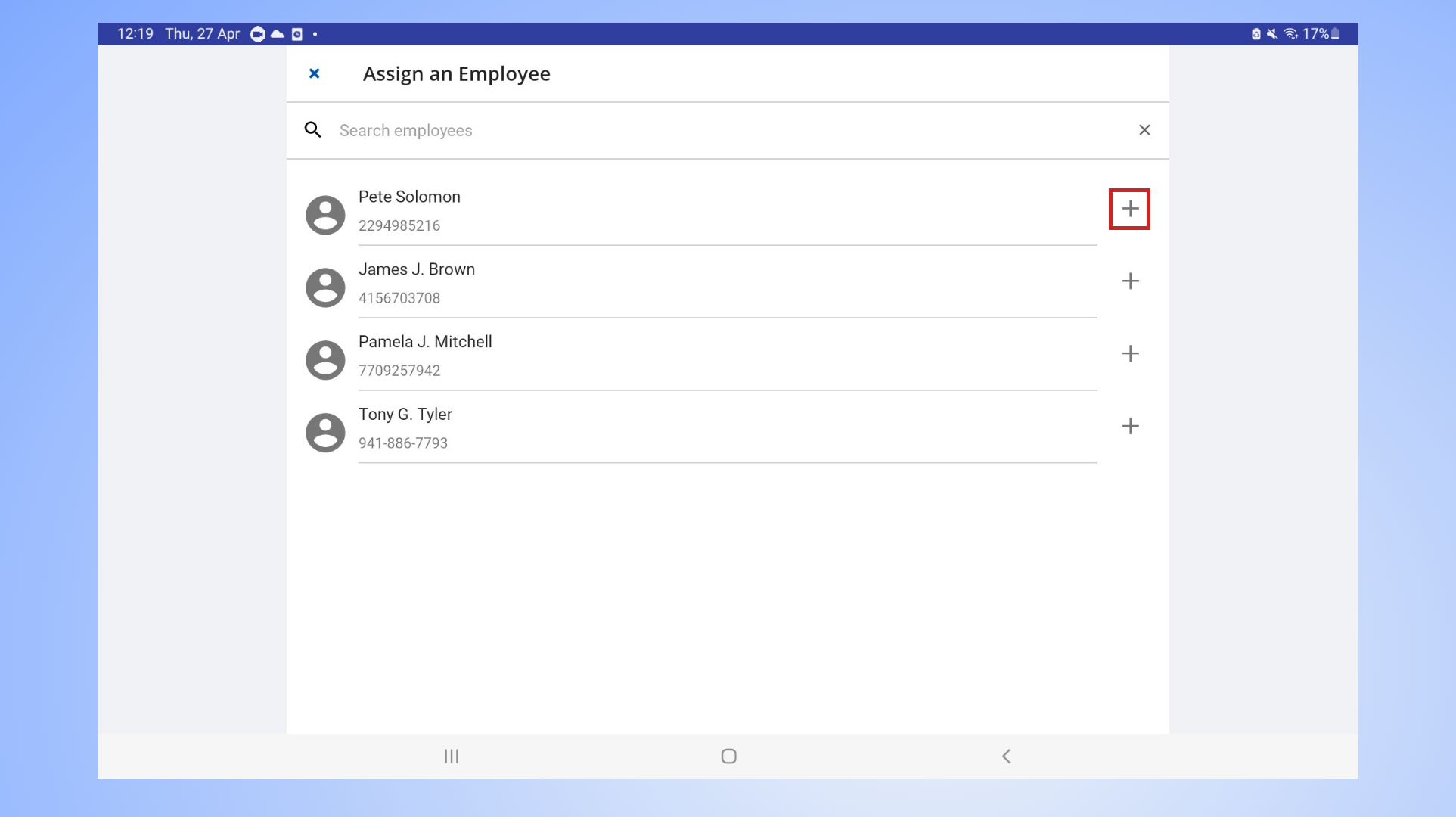
- Select employee name
- Click the plus (+) icon
4. How to Quickly Add Customer to the Receipt
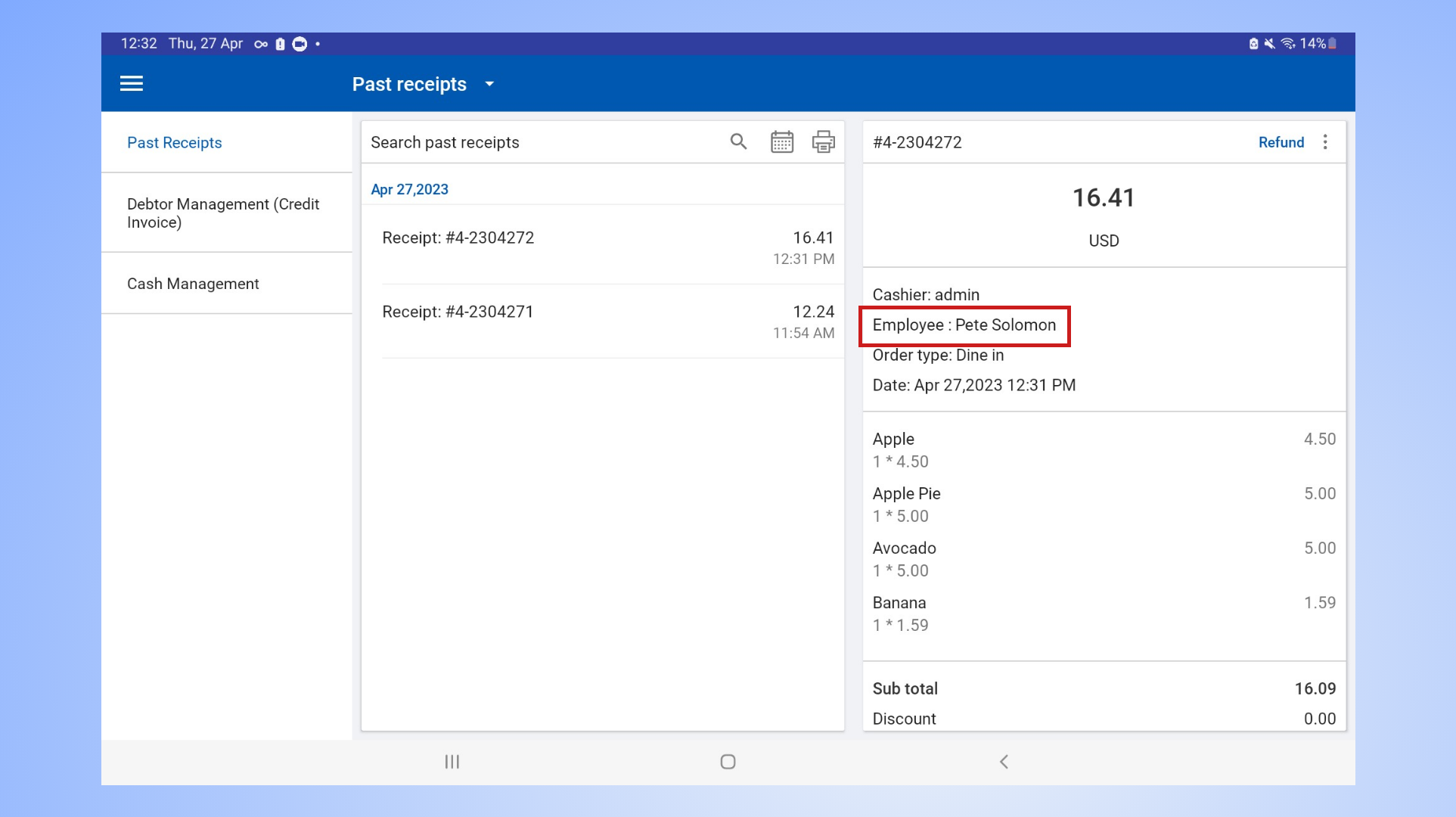
- Employee, now has been successfully added to the receipt.
- To check the receipt
- Main menu > Manage sales > Past receipts
Related Articles
How to Add Customer to the Receipt Quickly
Adding a Customer Directly in Vendtill Without Accessing the "Customer Profile" Page Vendtill POS App → New sale 1. How to Add Customer to the Receipt / Bill Quickly Vendtill makes it easy to add customers directly without navigating to the "Customer ...How to Add Customer to the Receipt Quickly
Adding a Customer Directly in Vendtill Without Accessing the "Customer Profile" Page Vendtill POS App → New sale 1. How to Add Customer to the Receipt / Bill Quickly Vendtill makes it easy to add customers directly without navigating to the "Customer ...How to Set Up Styled Receipt Header
How to Set Up Styled Receipt Header Vendtill POS app Introduction The Styled Receipt Header feature in Vendtill POS App allows users to customize the appearance of specific fields on their receipts. By enabling this feature, key information such as ...How to Add Charges
How to Add Charges Vendtill Back Office Charges In certain businesses, it is customary to impose an extra fee on customers. For instance, restaurants may apply a "Service Charge" to dining customers. Vendtill has the capability to manage these ...How to Add Customized Remarks
How to Add Customized Remarks Vendtill POS App Product Remarks The "Product Remarks" feature allows users, to attach additional custom notes, comments, or specific instructions to individual items as they are being processed during a transaction. ...