How to Use Xero Accounting Software with Vendtill POS
How to Use Xero Accounting Software with Vendtill POS

Vendtill Back Office
Why Integrate Xero with Vendtill POS?
- Integration provides a comprehensive and streamlined solution for managing financial operations directly from your POS system.
1. Login to POS Back Office
- Select Settings from the main menu.
- Go to Feature.
- Tick Xero Integration.
- Click Save.
Note: Once enabled, Xero Integration will appear as a sub-menu under Settings.
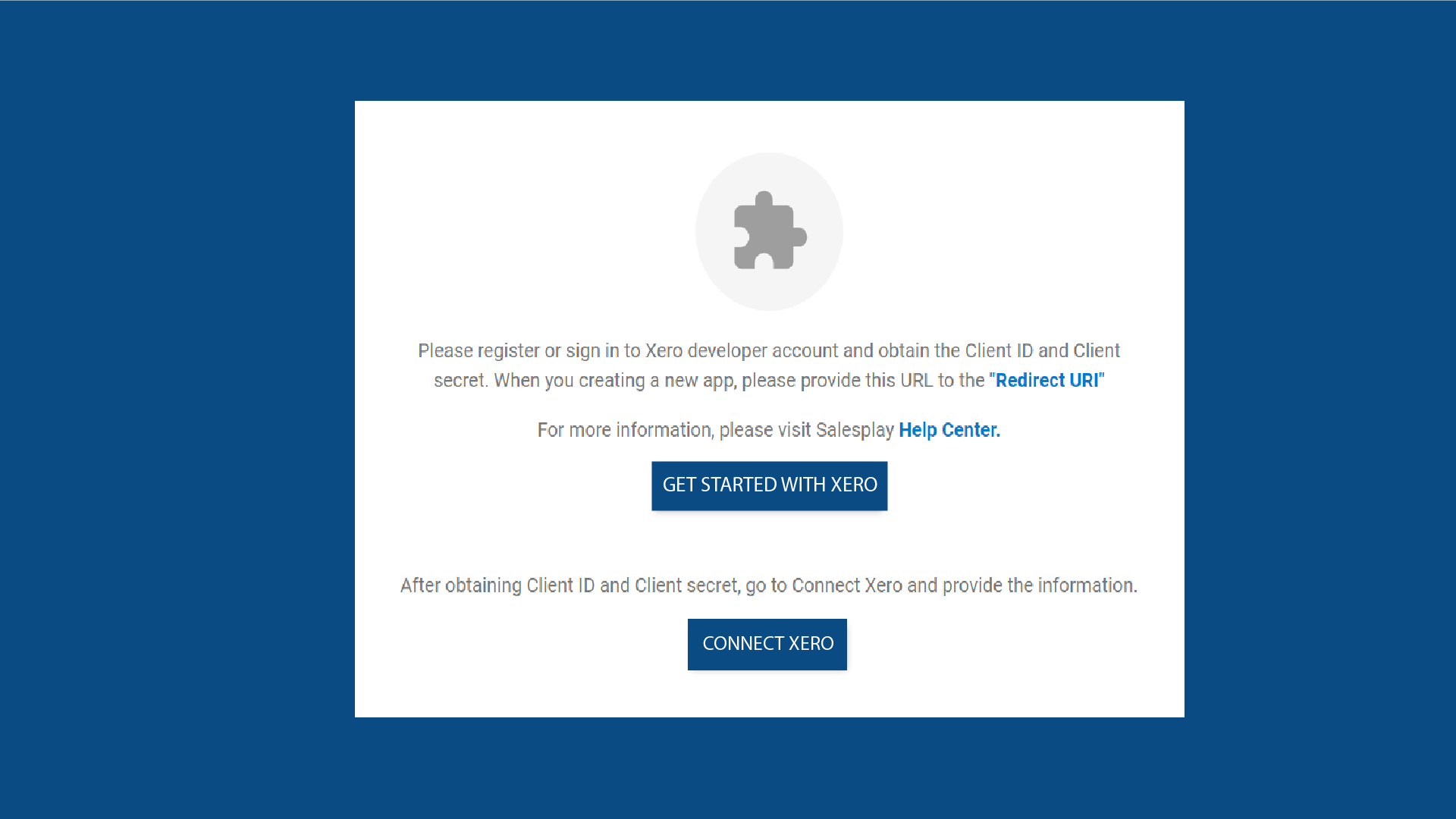
2. Select XERO from Settings and Click “GET STARTED WITH XERO”
3. Register or Sign in to Your Xero Account
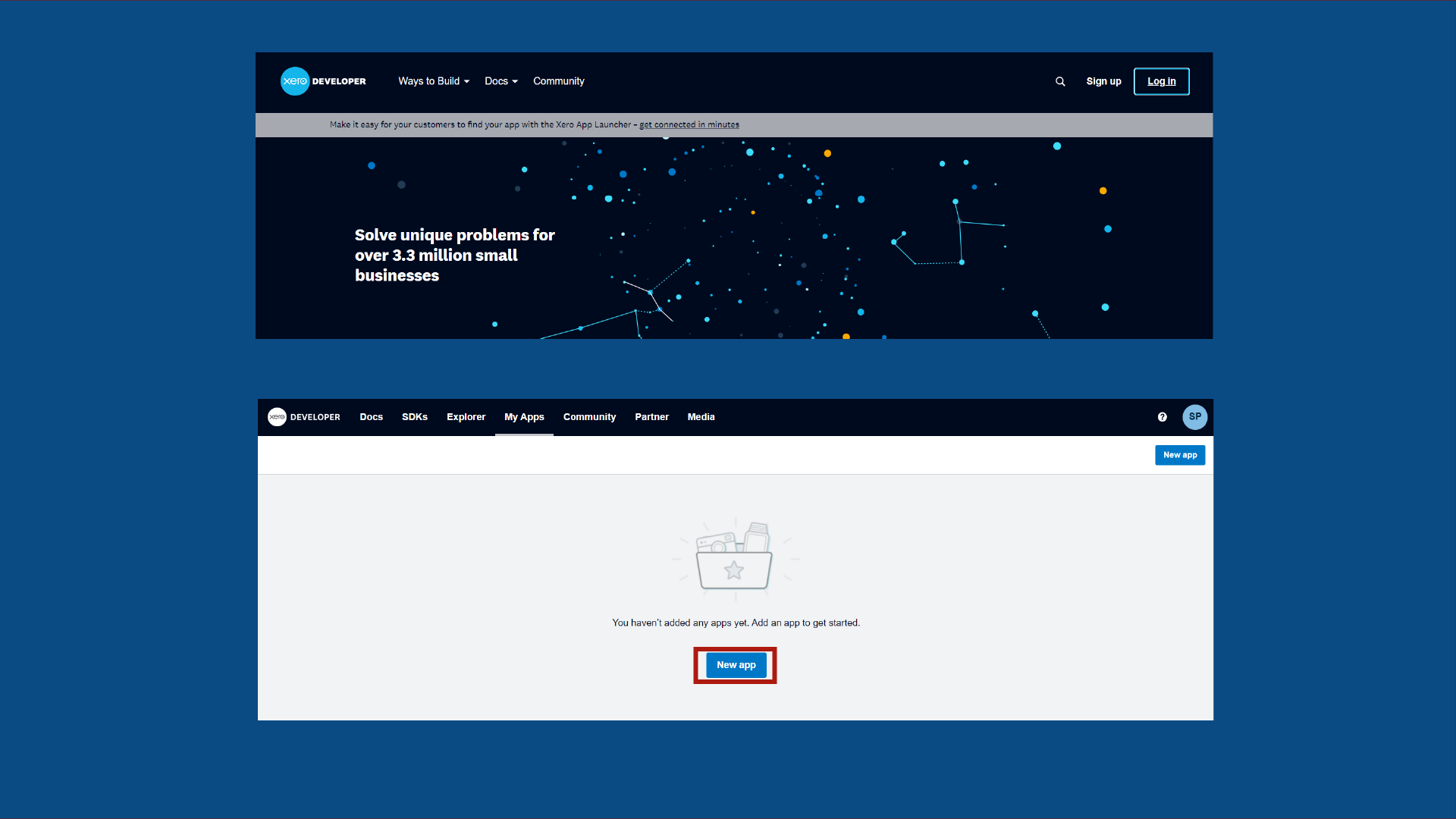
- Visit https://developer.xero.com/
- Click Login and log in to your Xero developer account.
- Click New App.
4. Provide Required Details
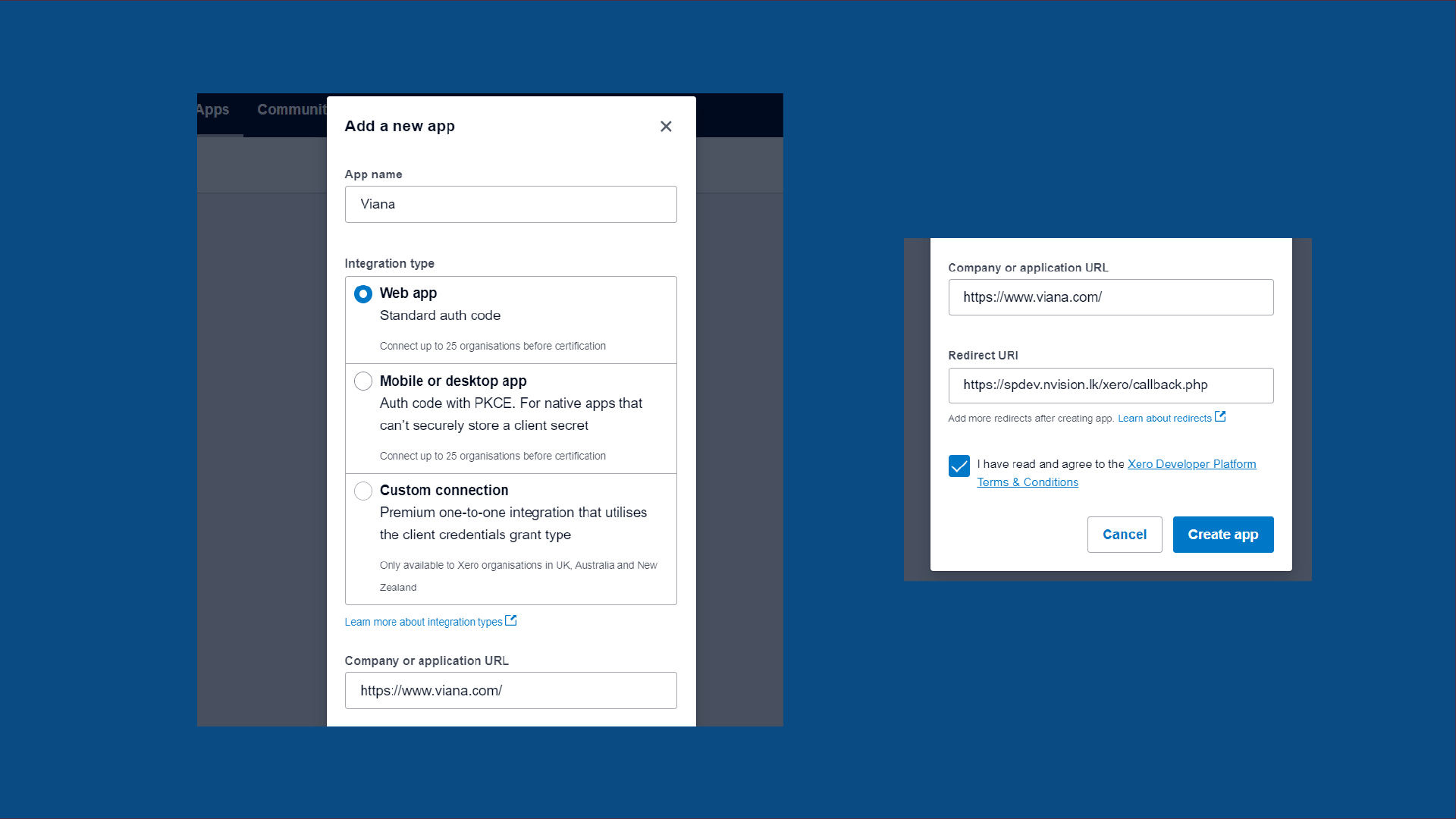
- Enter the Shop Name.
- Select Web App as the integration type.
- Add your company website.
- Add Redirect URI (copy from the Back Office Xero section).
- Agree to Terms & Conditions and click Create App.
5. Configuration
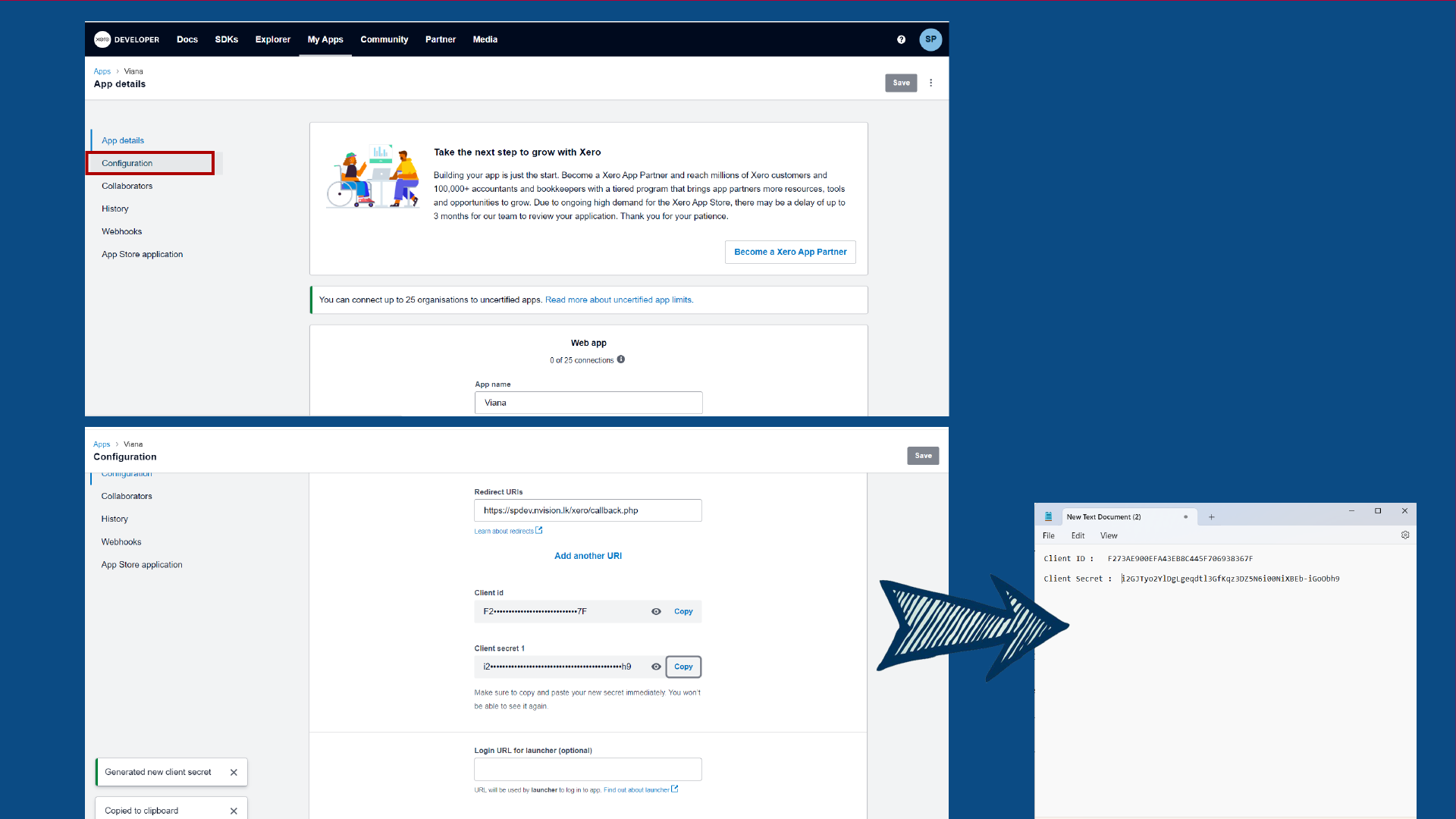
- Click the Configuration tab in developer.xero.
- Copy the Client ID and save it in a secure document.
- Click Generate a Secret.
- Copy Client Secret 1 and save it securely.
6. Click “CONNECT XERO” in Back Office
- Enter the Client ID (from your saved document).
- Enter the Client Secret.
- Enter the Transaction Scheduled Time.
- Ensure Is Enable is ticked ON.
- Click Save.
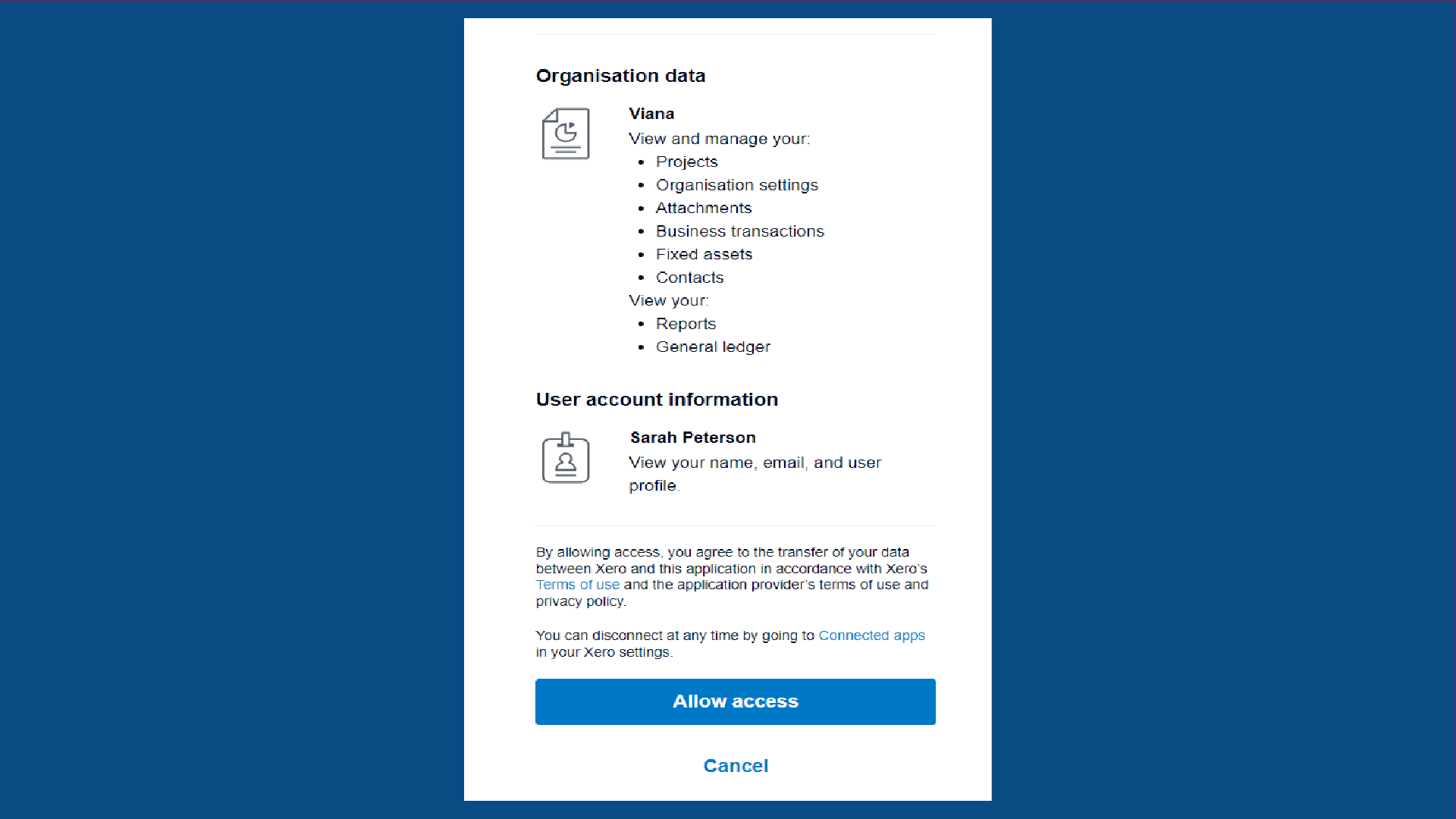
- Click Allow Access.
Once completed, a message will appear: “Integration setup completed”.
Related Articles
Vendtill Web POS – Retail Layout
Vendtill Web POS – Home Screen Layout & Quick Cash Option Step-by-step Vendtill Web POS allows businesses to customize the home screen layout to meet specific operational needs. This flexibility ensures enhanced usability, improved workflow, and ...E-commerce Integration with Vendtill POS
E-commerce Integration with Vendtill POS ( WooCommerce & Shopify ) Help Steps Enhance your retail operations by integrating your e-commerce platform with Vendtill POS. Whether you use WooCommerce or Shopify, this integration allows you to seamlessly ...Shopify Website Connect to Vendtill POS
Shopify Website Connect to Vendtill POS Step-by-step Video Guide You can now link your Shopify online store with the Vendtill POS System to manage online orders directly from your POS app. Follow these steps to complete the setup. Setup Overview This ...WooCommerce Website Setup to Vendtill POS
WooCommerce Website Setup to Vendtill POS Step-by-step You can now integrate your WooCommerce online store with the Vendtill POS System. This allows you to manage online orders directly from your POS system. Follow the steps below to complete the ...How to Integrate QuickBooks with Vendtill
Integrate QuickBooks (Online) Step-by-step Vendtill POS Now Fully Integrates with QuickBooks Vendtill POS has introduced a full integration with QuickBooks, allowing businesses to automatically sync their sales data, invoices, and payment records ...