Shift Report with Sales Summary
Shift Report with Sales Summary

Vendtill Back Office
1. The shift report with sales summary is a crucial component for any type of business.

- It provides a concise overview of sales data, capturing important information from a specific shift.
2. The shift report also empowers businesses with valuable sales insights, enhances cash management, and ensures financial accuracy.
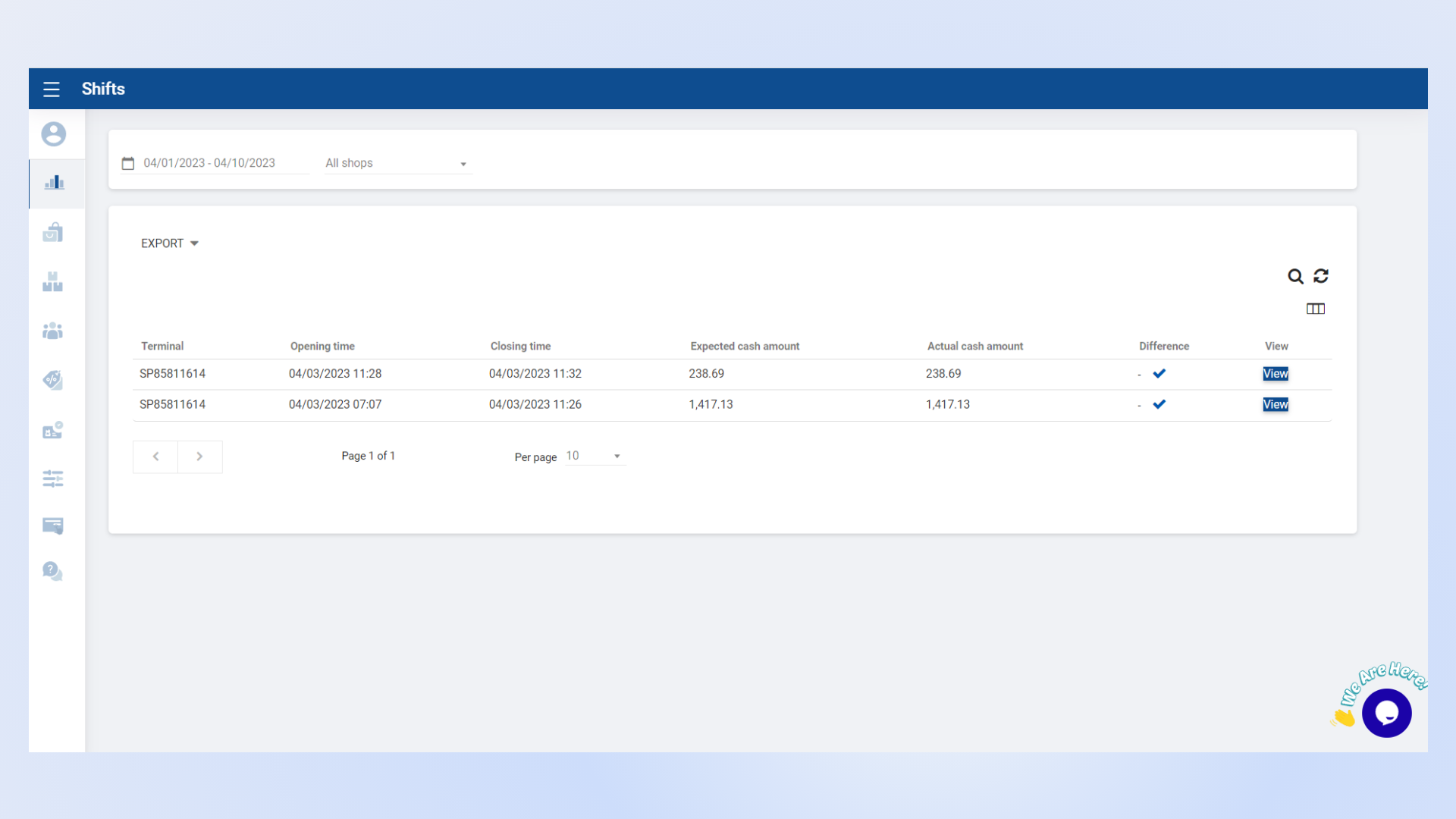
- Vendtill shift report provide information such as:
- Opening time
- Closing time
- Accepted cash amount
- Actual cash amount
- Difference
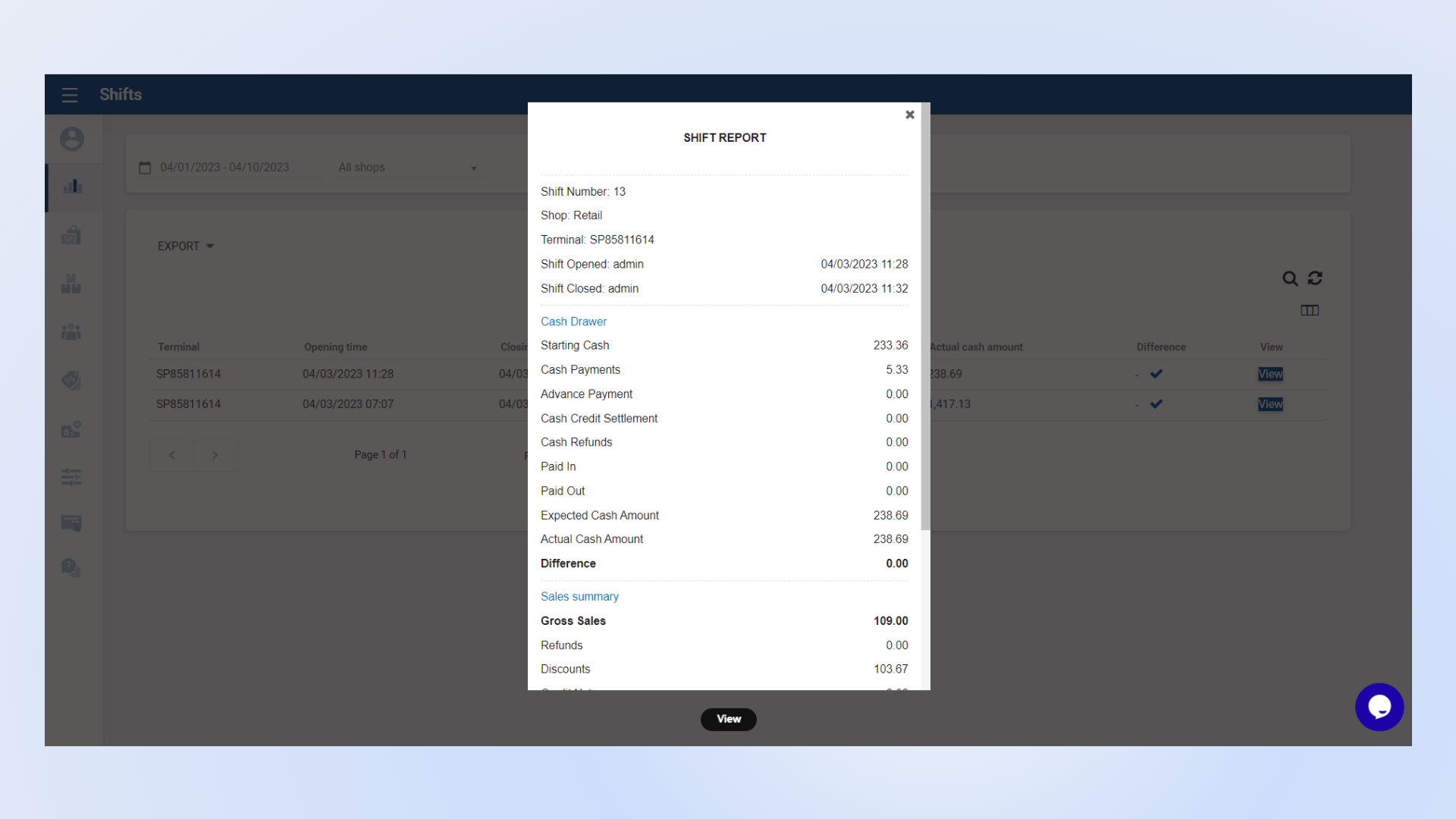
3. Furthermore, Vendtill allows you to view a comprehensive report of a specific shift with cash drawer and sales summary details.
Related Articles
How to Use Shift Management
1. Enable Shift Management Go to Vendtill Back Office → Settings → Features. Enable Shift Management and click Save. Once Shift Management is enabled, a new option called Drawer Reasons will appear in the Settings section. Go to Drawer Reasons Click ...Sales Summary Report
Sales Summary Report Vendtill Back Office 1. Sales Summary Report Vendtill sales summary report provides an overview of the sales activities and performance of a business over a specific period of time. It consolidates and presents key sales data and ...Shift History Report
Shift History Report Vendtill POS App POS App main menu > Select “ Manage Sale ” Click “Cash Management” Select the “Clock” icon right-hand upper corner Click the “clock” icon and select the dateReceipts Report
Receipts Report Vendtill Back Office > Receipts 1. Receipts Report Vendtill receipt report provides a comprehensive record of all transactions processed through the POS system, capturing critical information such as transaction details, customer ...Deleted Receipts Report
Deleted Receipts Report Vendtill Back Office Description Deleted Receipt Report in Vendtill POS is a valuable asset for business owners looking to maintain control over their financial transactions, prevent fraud, and ensure the highest standards of ...