How to Add Price Embedded Barcodes
How to Add Price Embedded Barcodes

Step By Step Process
Vendtill POS allows you to use Embedded Barcodes which carry extra information about products, such as price or weight. Price-embedded barcodes simplify checkout, especially for weighted or packaged items.
What is an Embedded Barcode
- Embedded Barcodes carry additional product data like price or quantity.
- Example: Weighing vegetables at checkout using a barcode that includes weight information.
Types of Embedded Barcodes
- There are two types of embedded barcodes:
- Weight-based:
- Barcode includes product code/SKU and weight information.
- Price-based:
- Barcode includes product code/SKU and product price.
Barcode Profiles
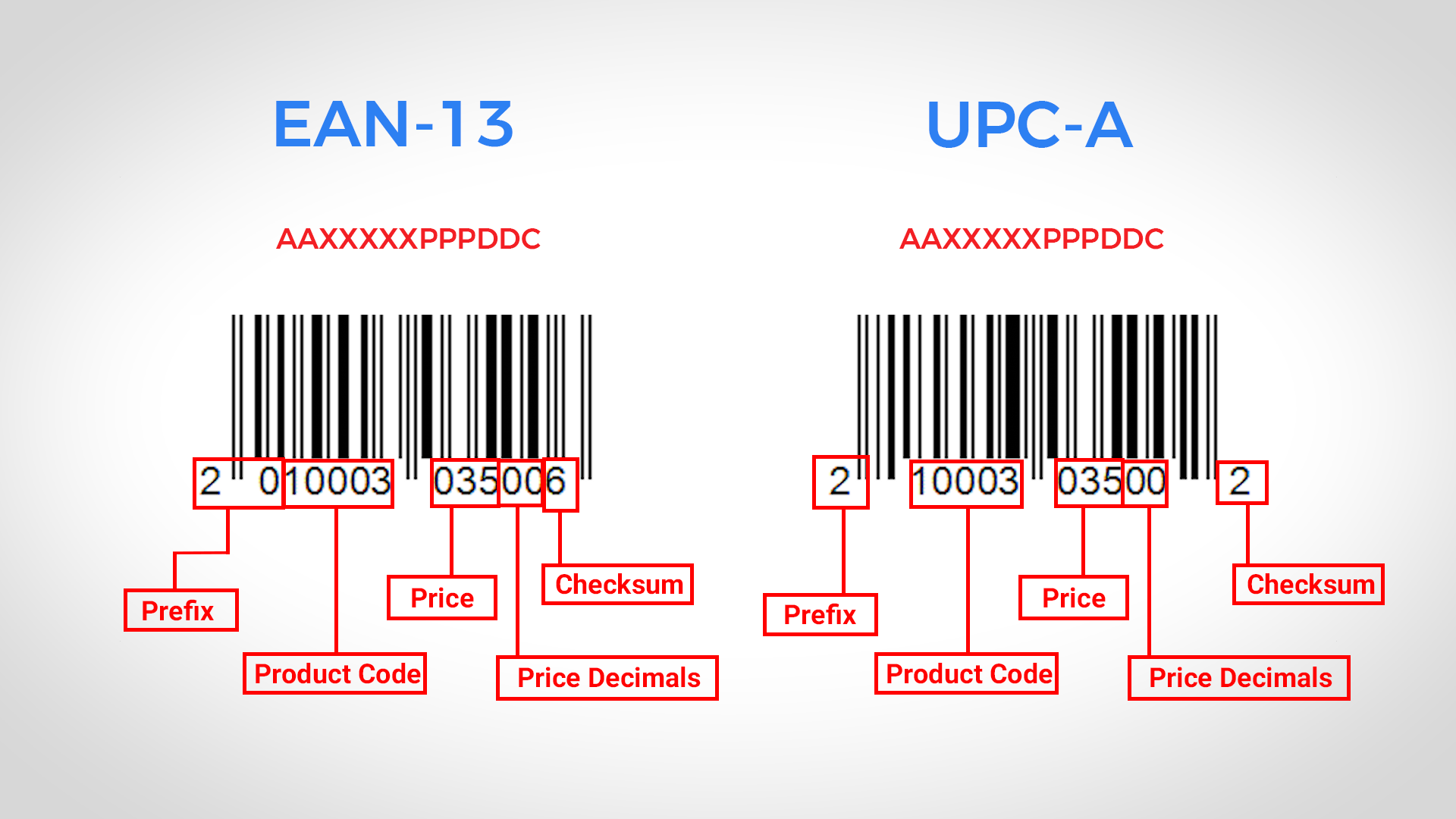
- Two common barcode profiles: EAN 13 and UPC-A.
EAN 13 Setup (13 digits)
- Format: ‘AAXXXXXPPPDDC’.
- ‘AA’ – prefix, ‘XXXXX’ – product code, ‘PPP’ – price, ‘DD’ – price decimals, ‘C’ – checksum.
UPC-A Setup (12 digits)
- Format: ‘AXXXXXPPPDDC’.
- ‘A’ – prefix, ‘XXXXX’ – product code, ‘PPP’ – price, ‘DD’ – price decimals, ‘C’ – checksum.
Steps to Add Price Embedded Barcodes
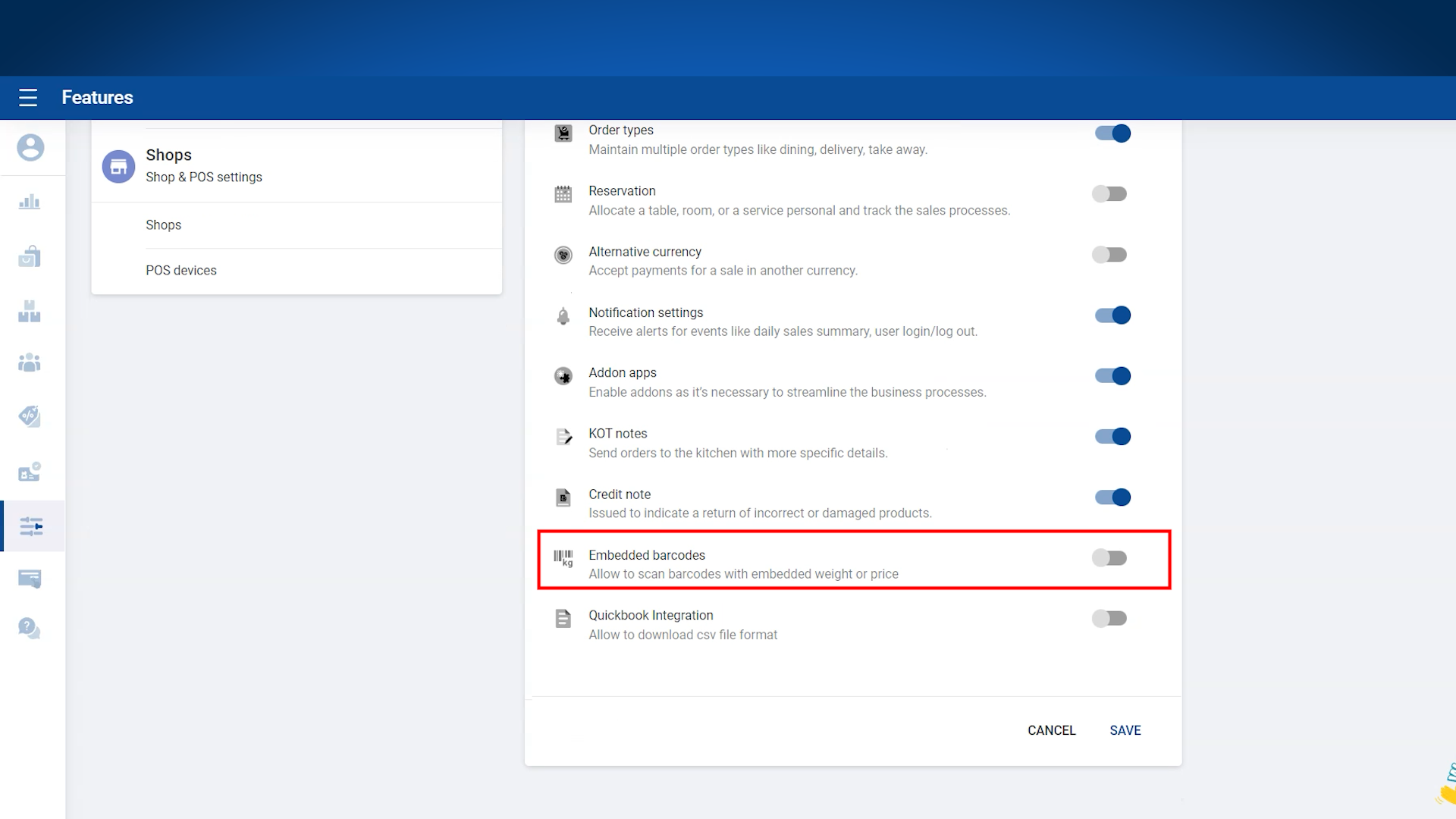
- Login to the POS Back Office Web Portal.
- Select Settings from the main menu.
- Go to Features.
- Enable Embedded Barcode section.
- Click Save. (Embedded Barcode will appear as a sub-menu in Settings)
- Click Embedded Barcodes from the sub-menu.
- Click Add New.
- Select Barcode type as Price Embedded.
- Enter the correct digits for the barcode. (Set PLU value to 0 or leave empty if product codes have 5 digits)
- Enable Status.
- Click Save.
Notes:
- If your product codes have less than 5 digits, configure the PLU value based on the number of digits.
- Always double-check barcode digits to ensure proper scanning and price capture at checkout.
Related Articles
Weight and Price Embedded Barcodes
How to Add Weight Embedded Barcodes Step By Step Process What is an Embedded Barcode Embedded barcodes carry extra product information such as price, quantity, or weight. Example: Weighing vegetables at checkout. Weight scales print barcodes with ...How to Use Barcodes and Find Products Easily, barcode, barcodes, Camera, Internal barcode
How to Use Barcodes and Find Products Easily Step-by-step Please note : Key Points to Remember To ensure proper functionality of the barcode features, it is important to configure the barcode terminal settings to include the use of "Enter" or "TAB" ...How to Adjust Quantity Based on the Price
How to Adjust Quantity Based on the Price Step-by-step guideline with example Introducing the "Adjust Quantity Based on Price" feature in our POS system. This new function makes selling easier by letting users decide how many products to sell based ...How to Add Taxes
How to Add Taxes & Charges Vendtill Taxes There are two distinct types of taxes that can be applied: Under the ‘included in the price’ tax, the tax portion is already included in the product price. Under the ‘added to the price’ tax, the tax portion ...How to Add Charges
How to Add Charges Vendtill Back Office Charges In certain businesses, it is customary to impose an extra fee on customers. For instance, restaurants may apply a "Service Charge" to dining customers. Vendtill has the capability to manage these ...