How to Clear Data & Delete Shop or Terminal in Back Office
How to Clear Data & Delete Shop or Terminal in Back Office

Vendtill Back Office > Main Menu > Settings > Shops
1. Clear Data in Back Office
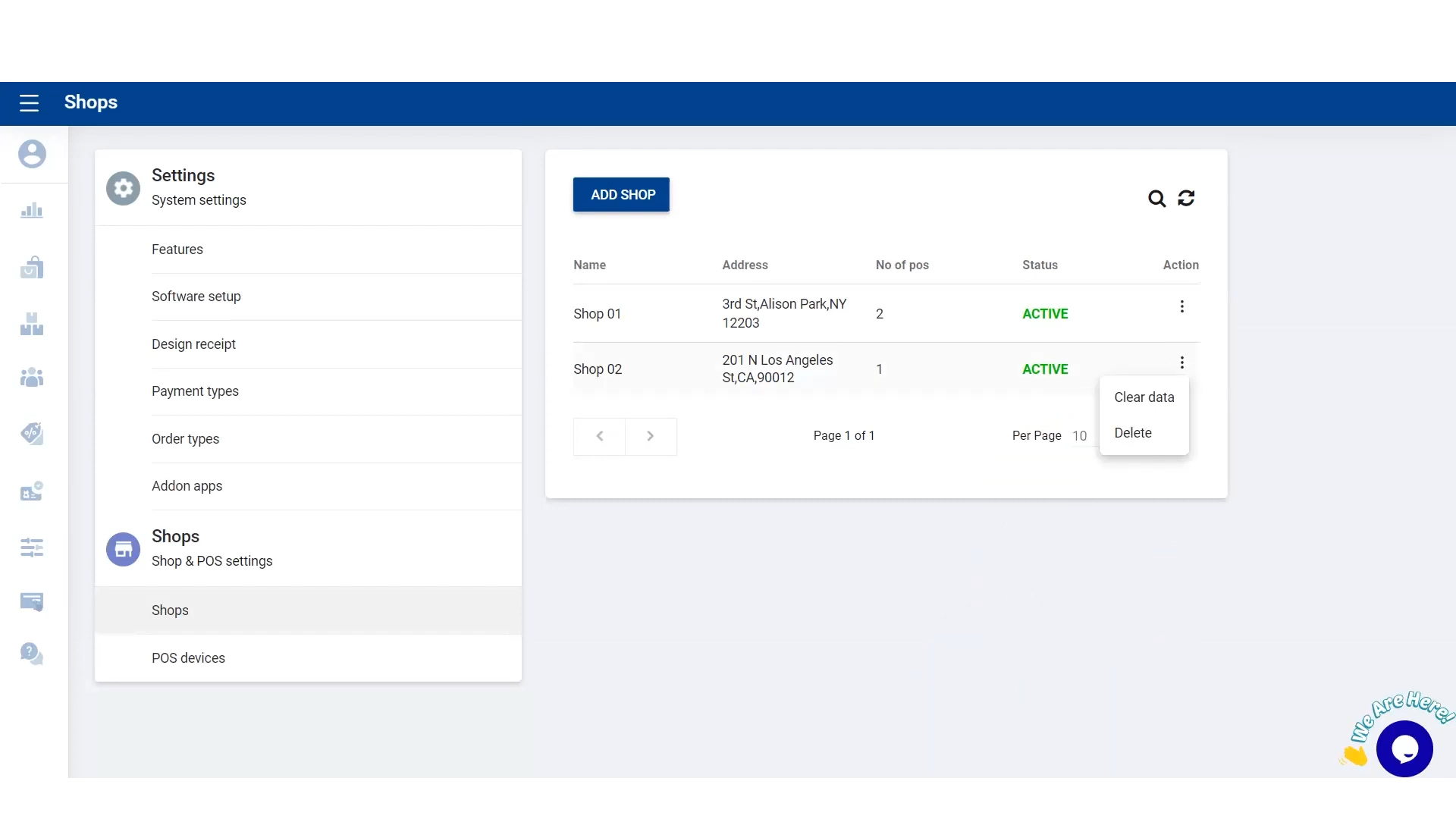
- POS System gives an option to clear all data and clear all sales and stocks data. “Clear all data” This option will delete all the data including master database.
- As an option you can choose to clear all data or just the sales and stocks.
- “Clear Transaction data” This option doesn't delete the master database of items. Use this option after you made your initial tests and before start using the machine for the real sales.
- ( Use this option carefully as this action will remove all the data and you cannot recover data again )
2. Clear Data in Back Office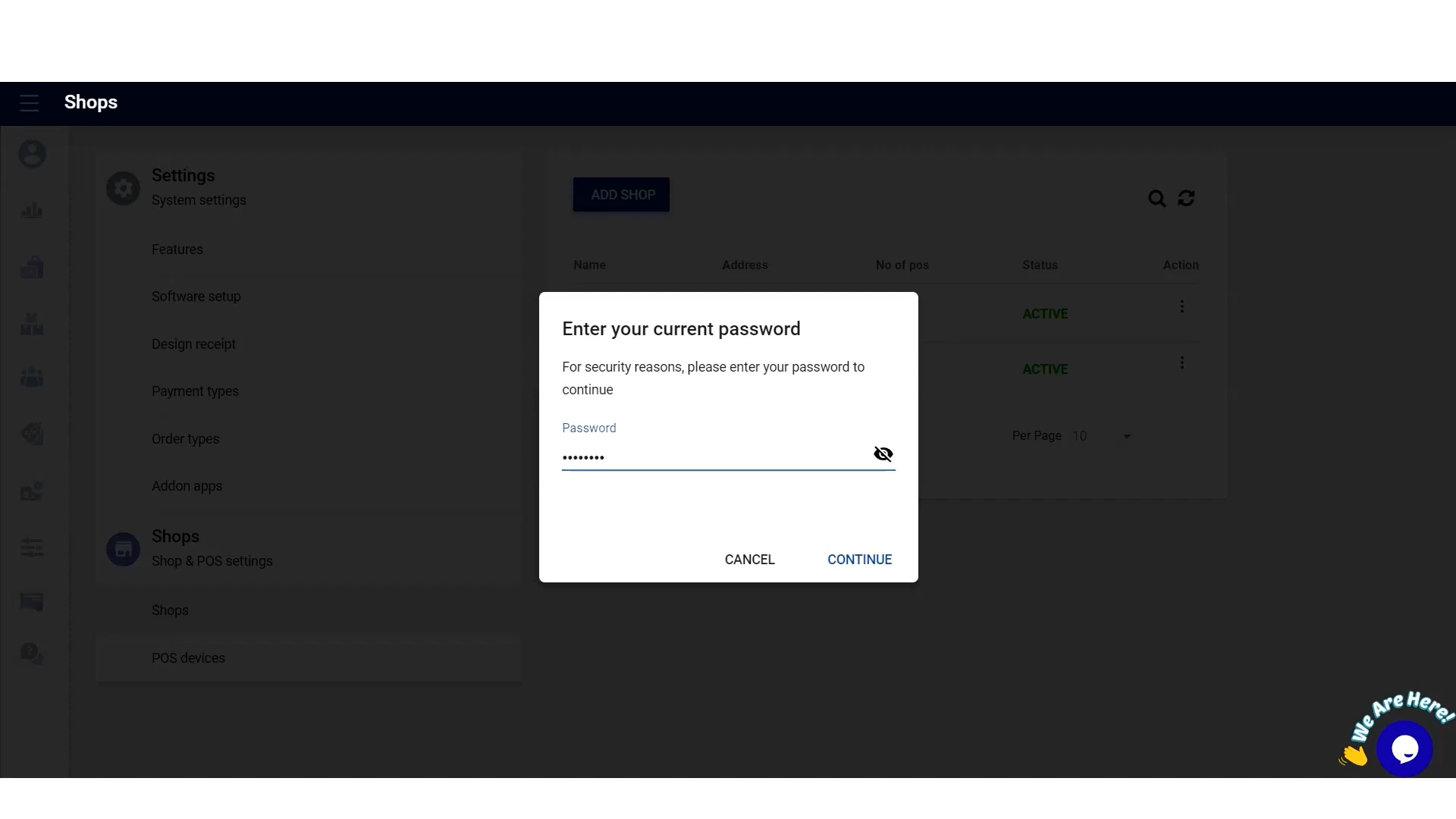
- Login to Vendtill POS Back Office Webportal
- Select “ Settings ” from main menu
- Go to the “ Shop”
- Click 3-dot button near “ Action”
- Click “ Clear data”
- Enter the password and Click “ continue”
3. Clear Data in Back Office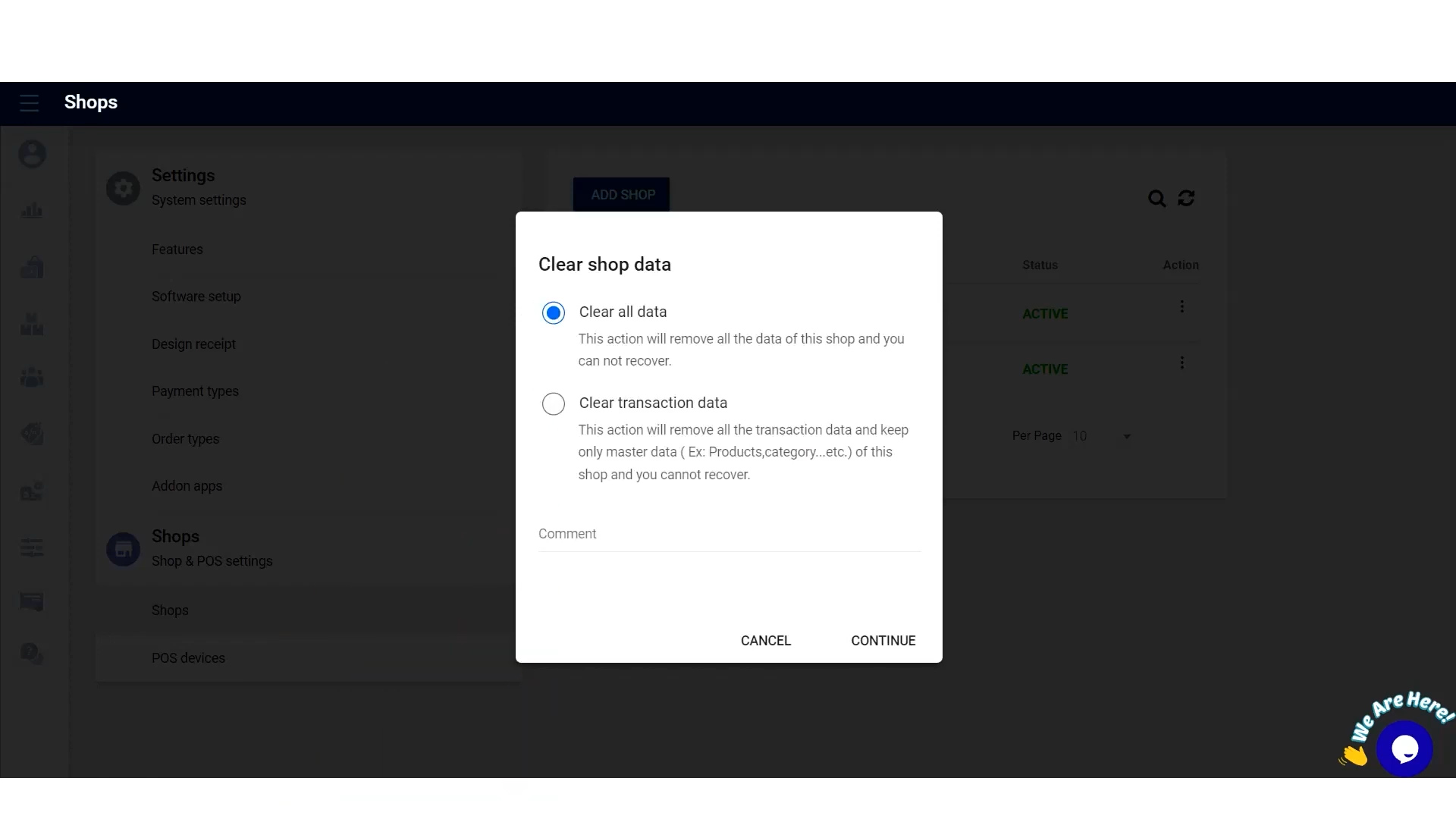
- Select either “Clear all data” or “Clear Transaction data” button
- Click “continue”
4. Clear Data in Back Office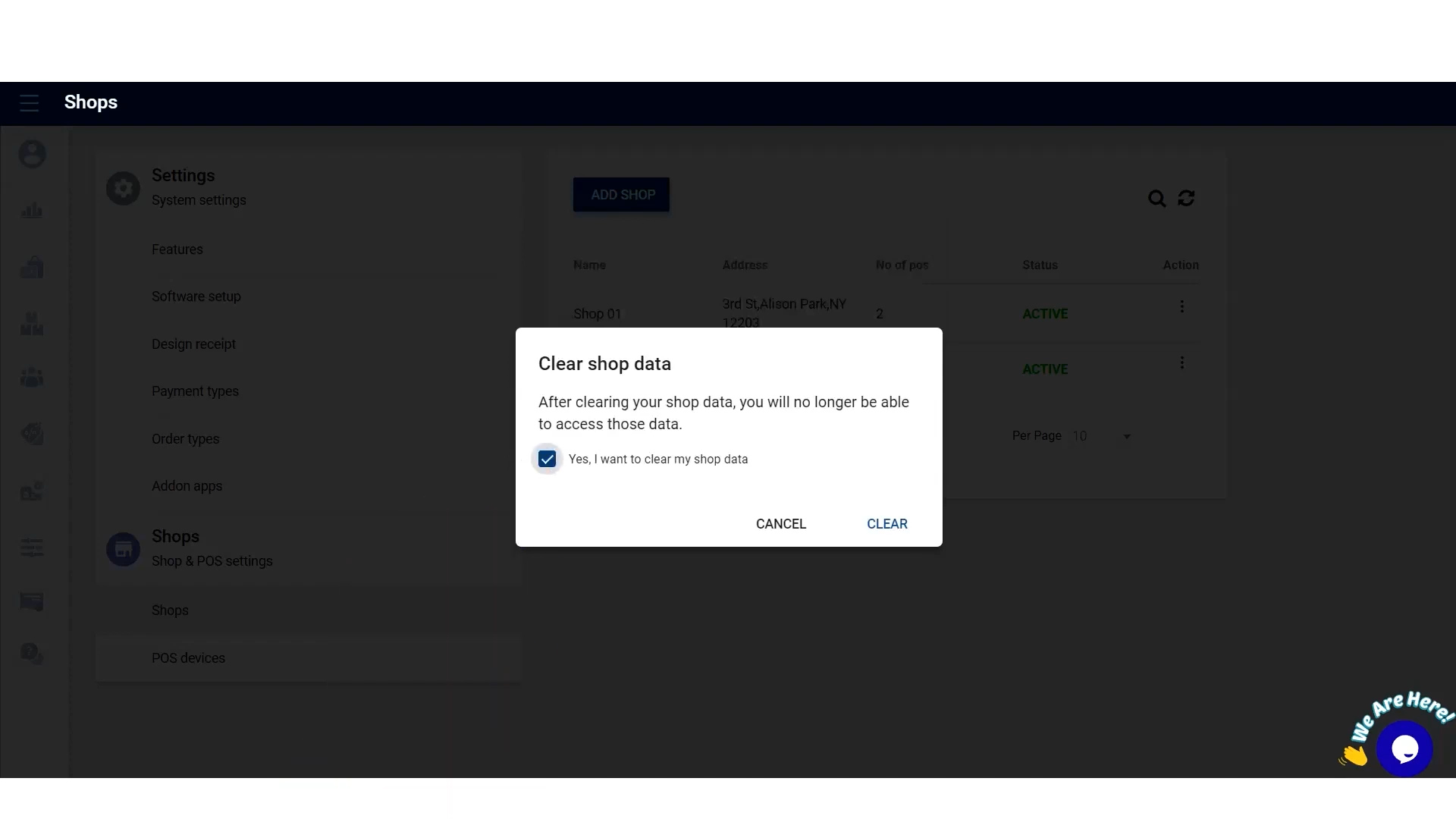
( Use this option carefully as this action will remove all the data and you cannot recover data again )
5. Delete Shop in Back Office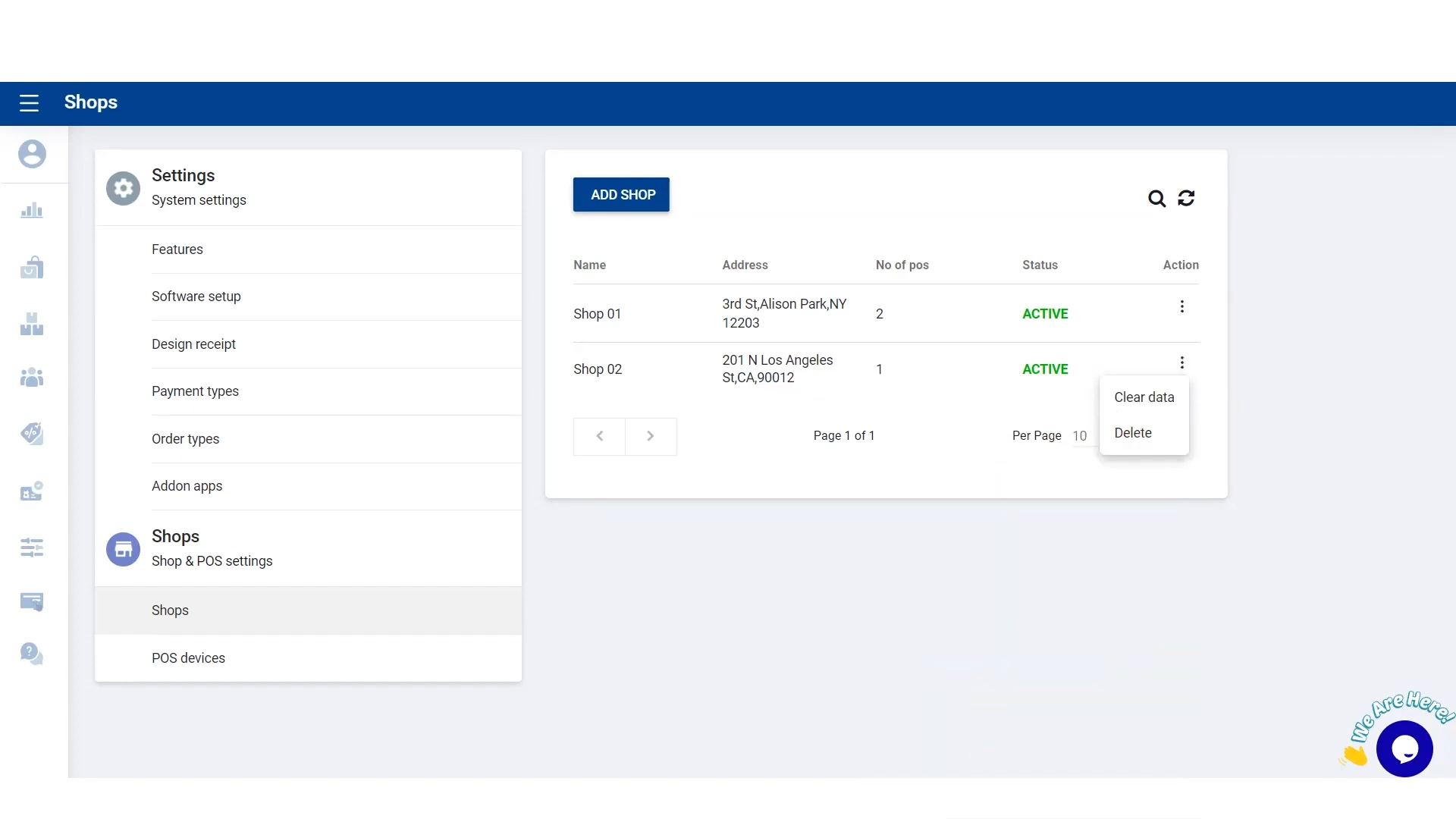
6. Delete Shop in Back Office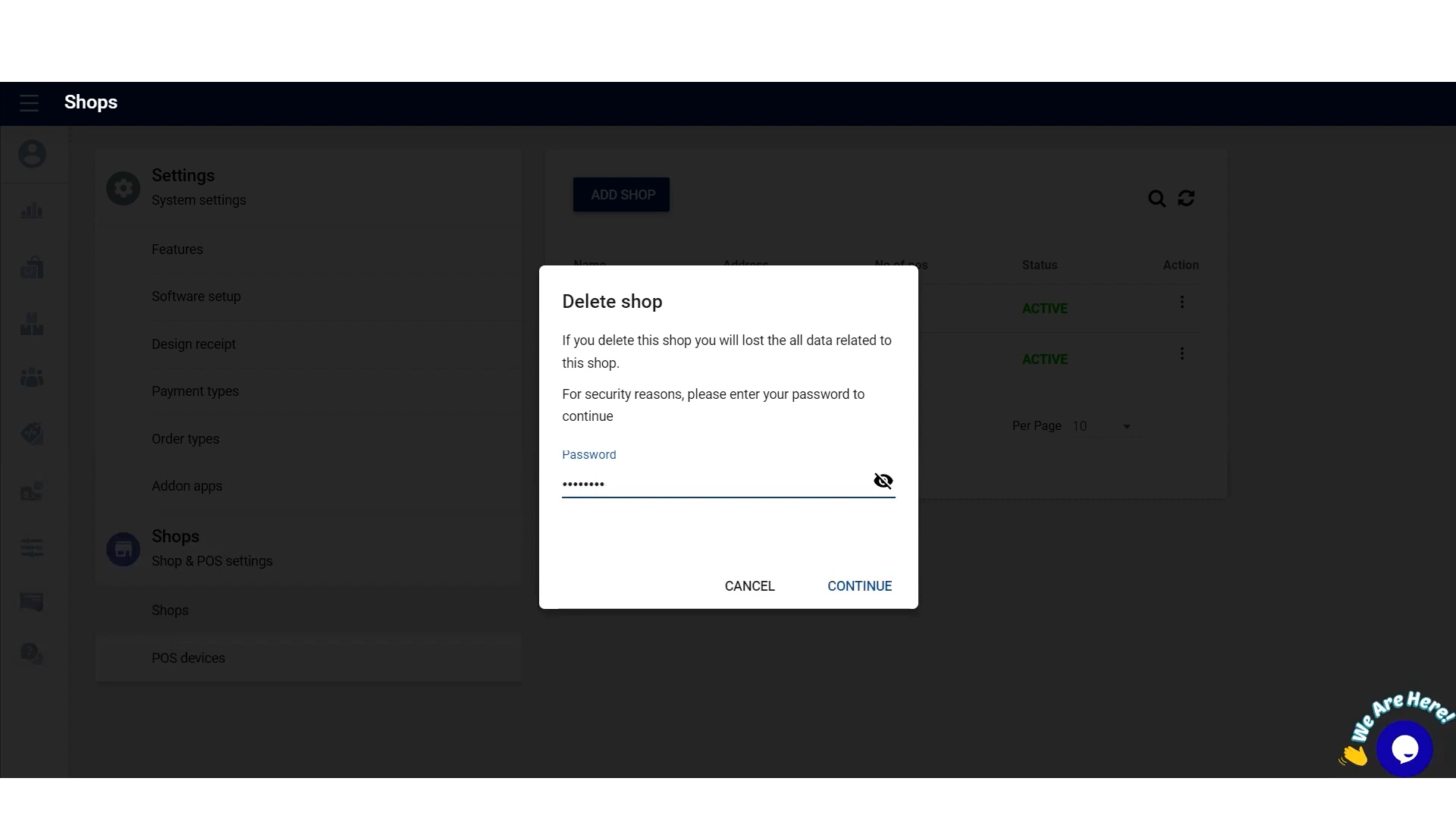
7. Delete Terminal in Back Office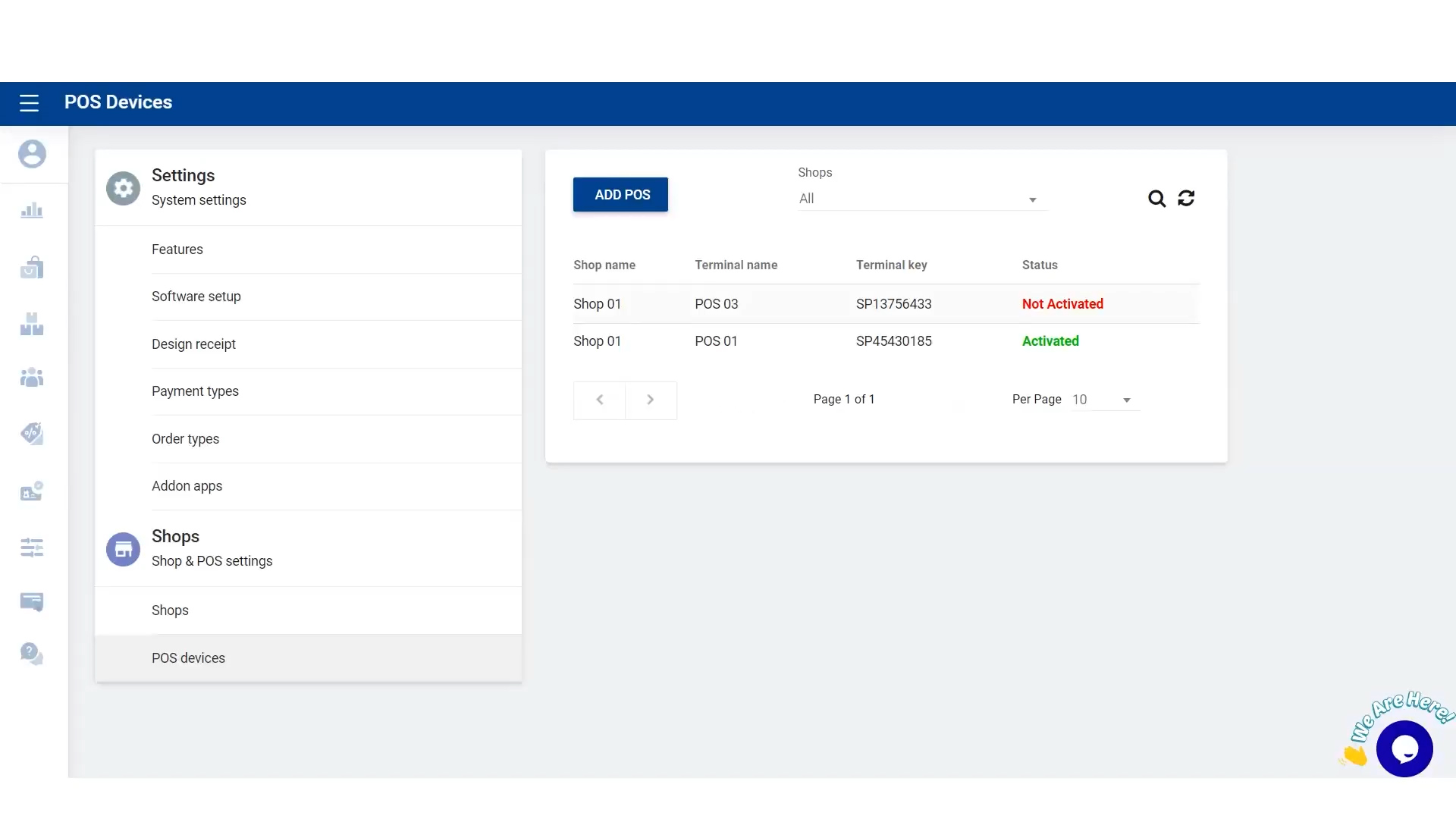
8.Delete Terminal in Back Office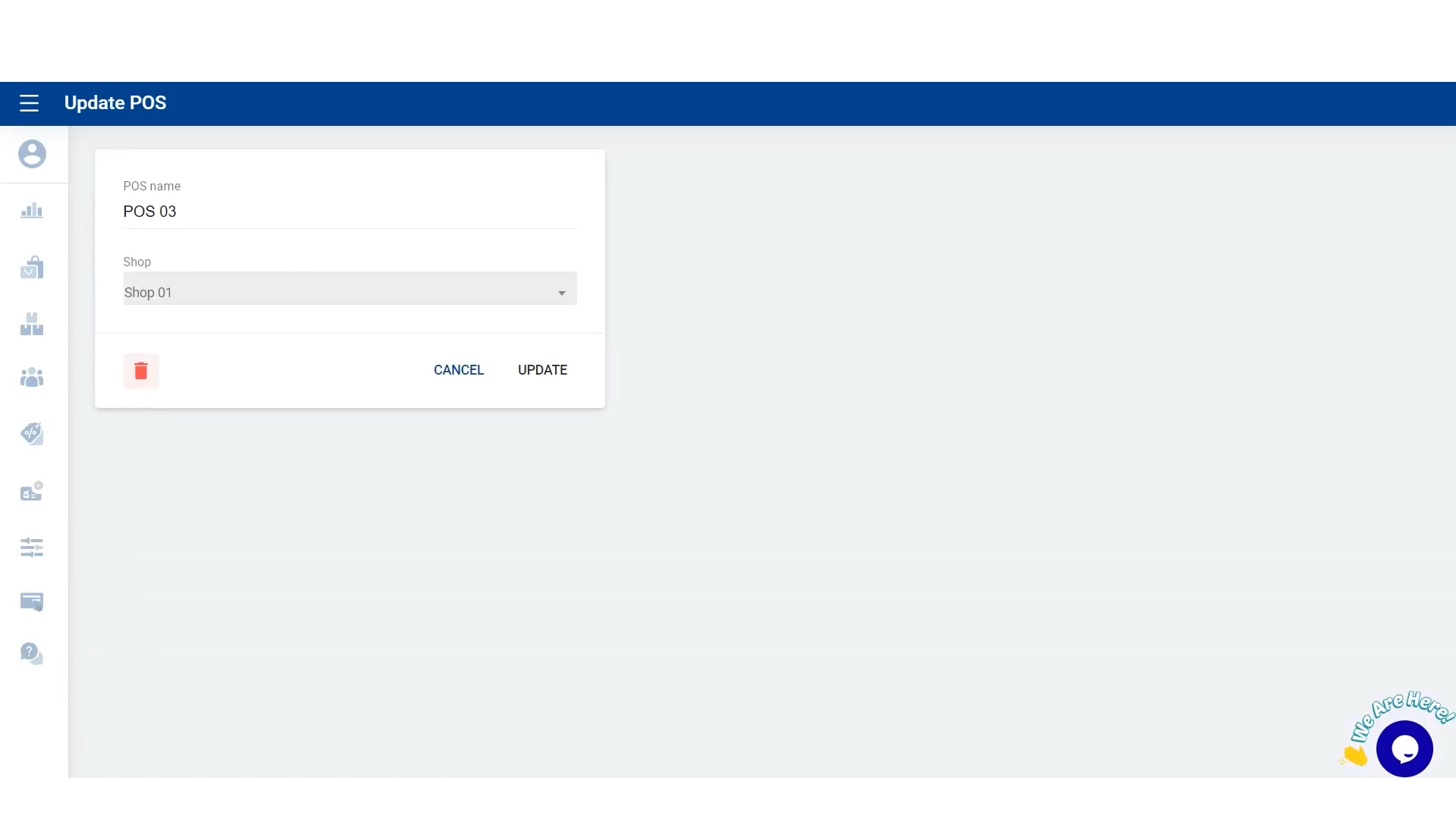
Related Articles
How to Add Shops and Terminals In Back Office
How to Add Shops and Devices / Terminals In Back Office Vendtill Back Office> Main Menu > Settings In the Vendtill POS system, a SHOP represents a business branch or location, such as different stores in various cities. This allows for centralized ...Let's Add Shops and POS Devices in Back Office
Let's Add Shops and POS Devices in Back Office Step-by-step process Managing Multiple Shops and Devices with Ease The Vendtill POS system is a versatile and powerful tool designed to streamline business operations, especially for businesses with ...How to Manage Employee Back Office Access Rights
Manage Employee Back Office Access Rights StepsHow to Delete Receipts
How to Delete Receipts Vendtill Back Office 1. Vendtill allows you to delete receipts in case of billing mistakes. To perform this task, you need the Admin Password and the user approval level 2.1 POS App main menu Manage Sales Select “Receipts”. 2.2 ...How to Add a New Terminal to Existing Location
How to Add a New Terminal to Existing Location Vendtill Back Office 1. How to Add a New Terminal to Existing Location POS System gives an option to add a new terminal to already existing location. This option will automatically download all the ...