How to Sign in with Vendtill Web POS
How to Sign in with Vendtill Web POS

Vendtill Web POS
Vendtill Web POS
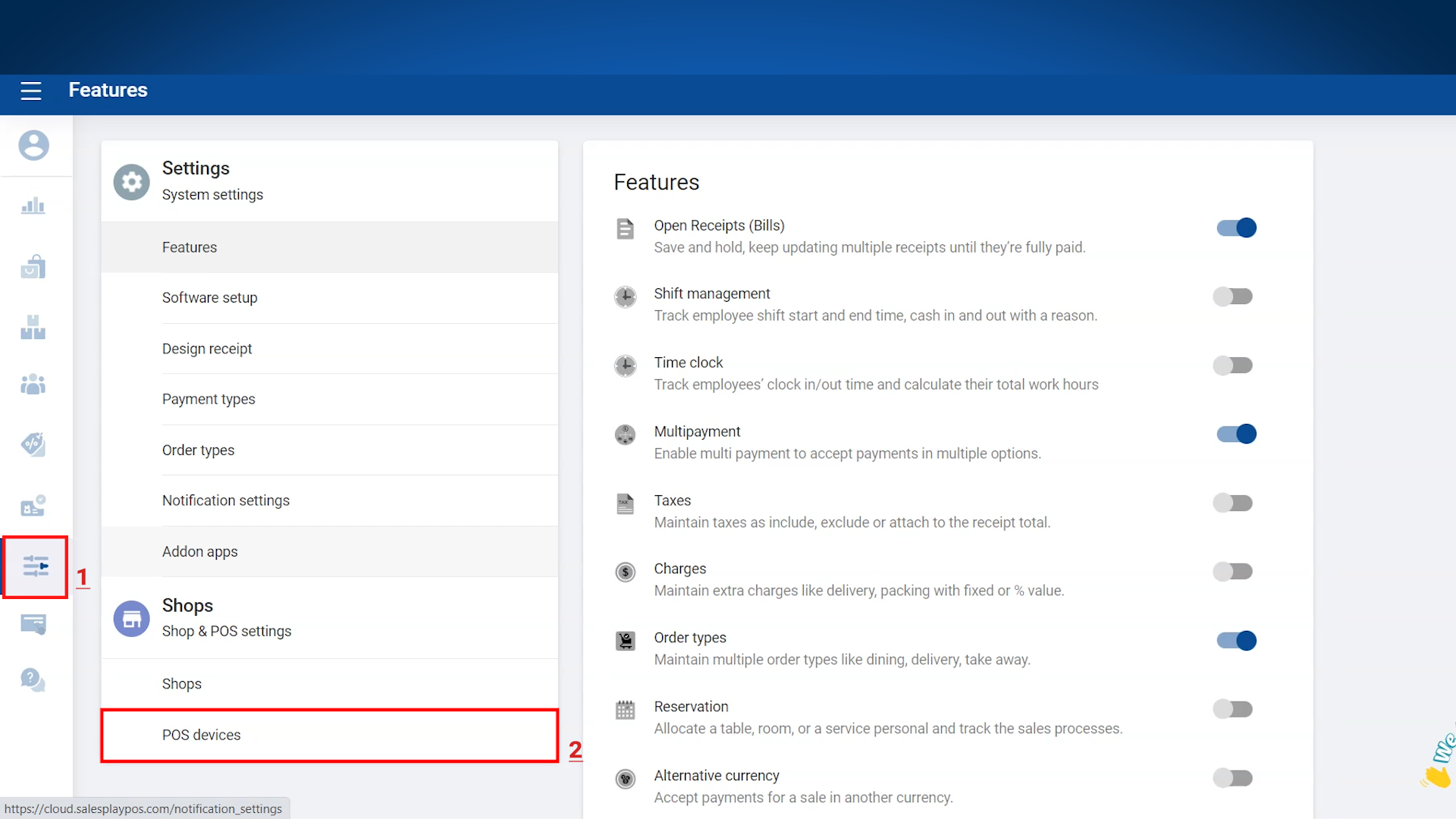
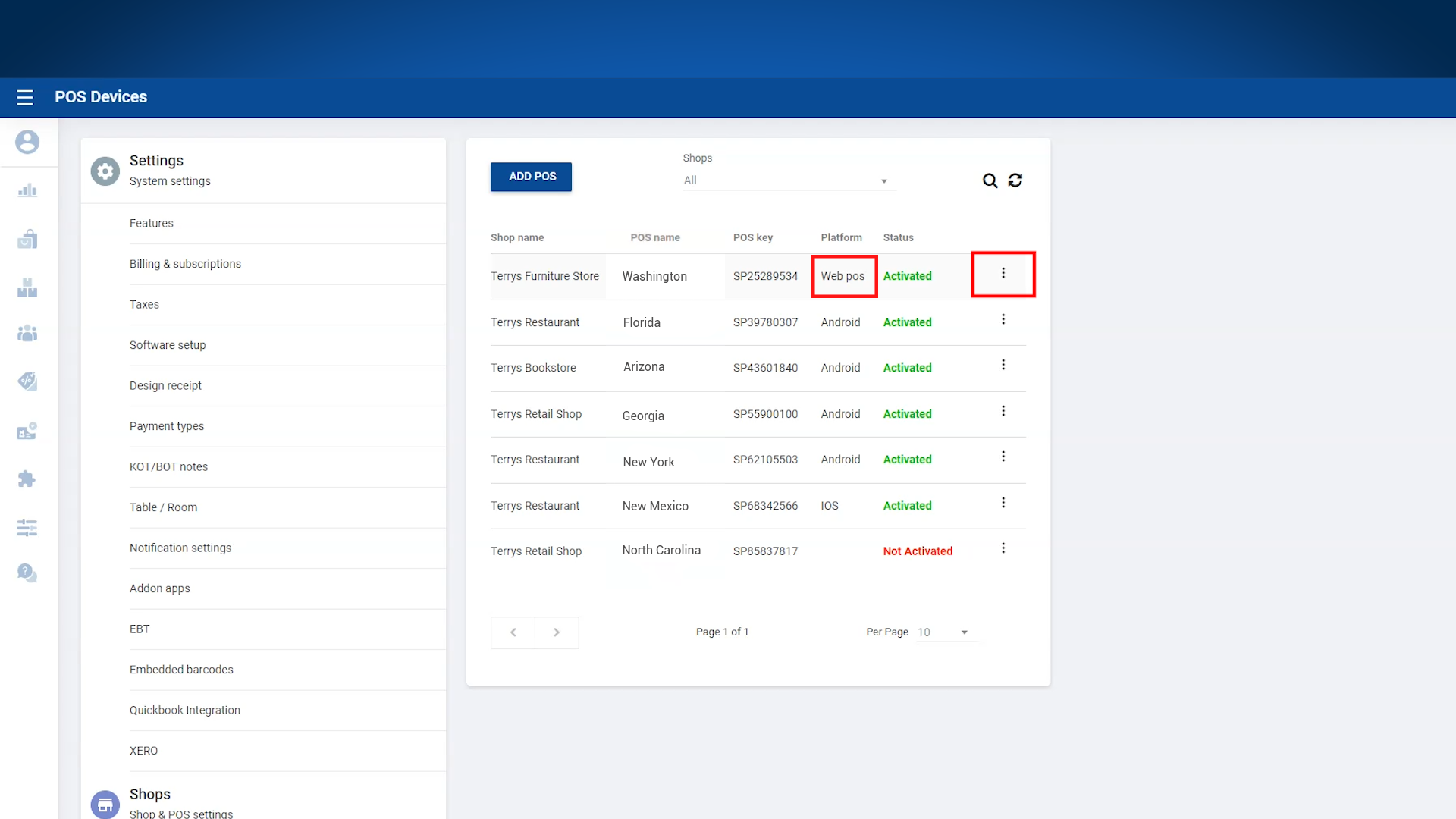
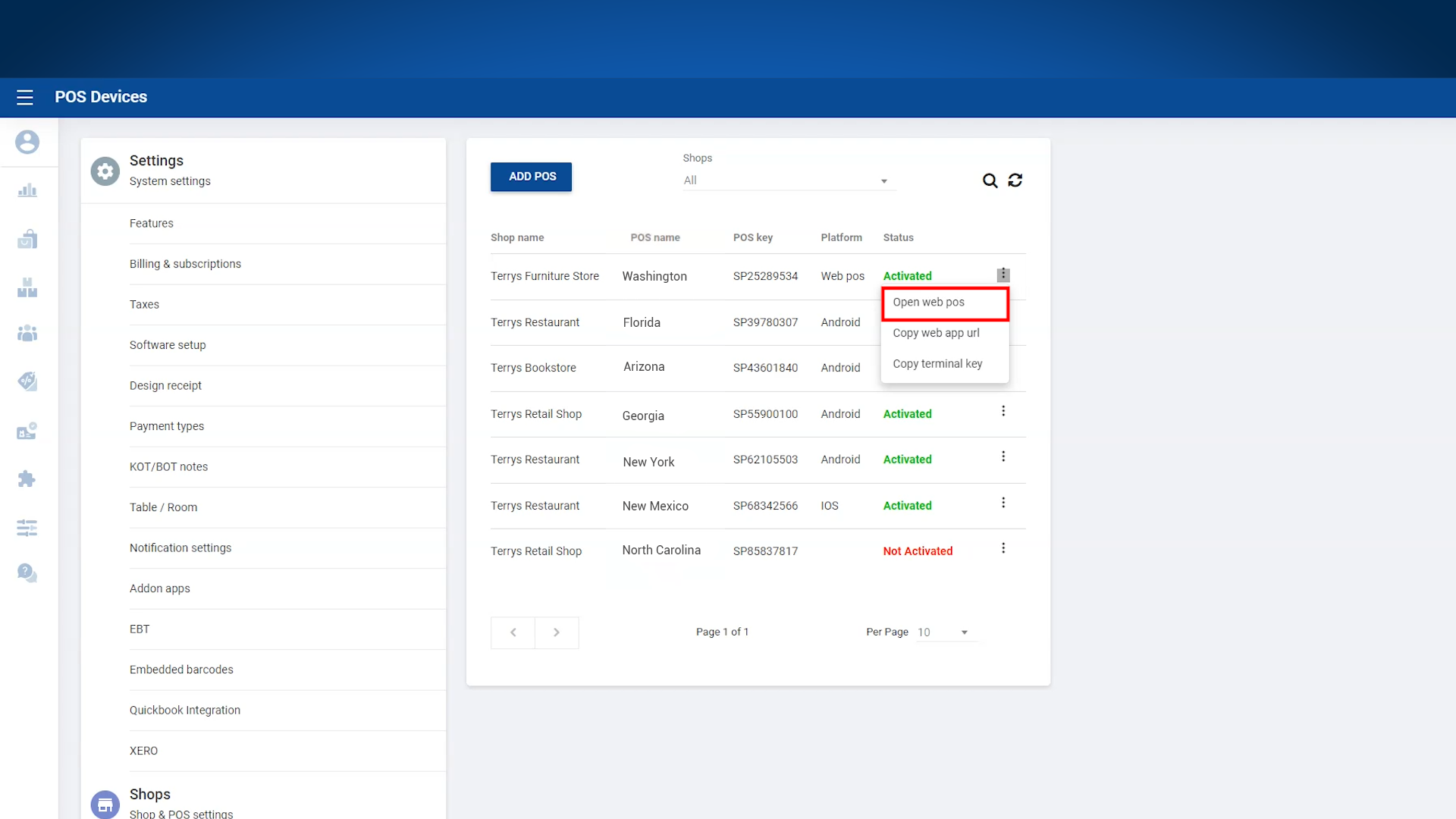
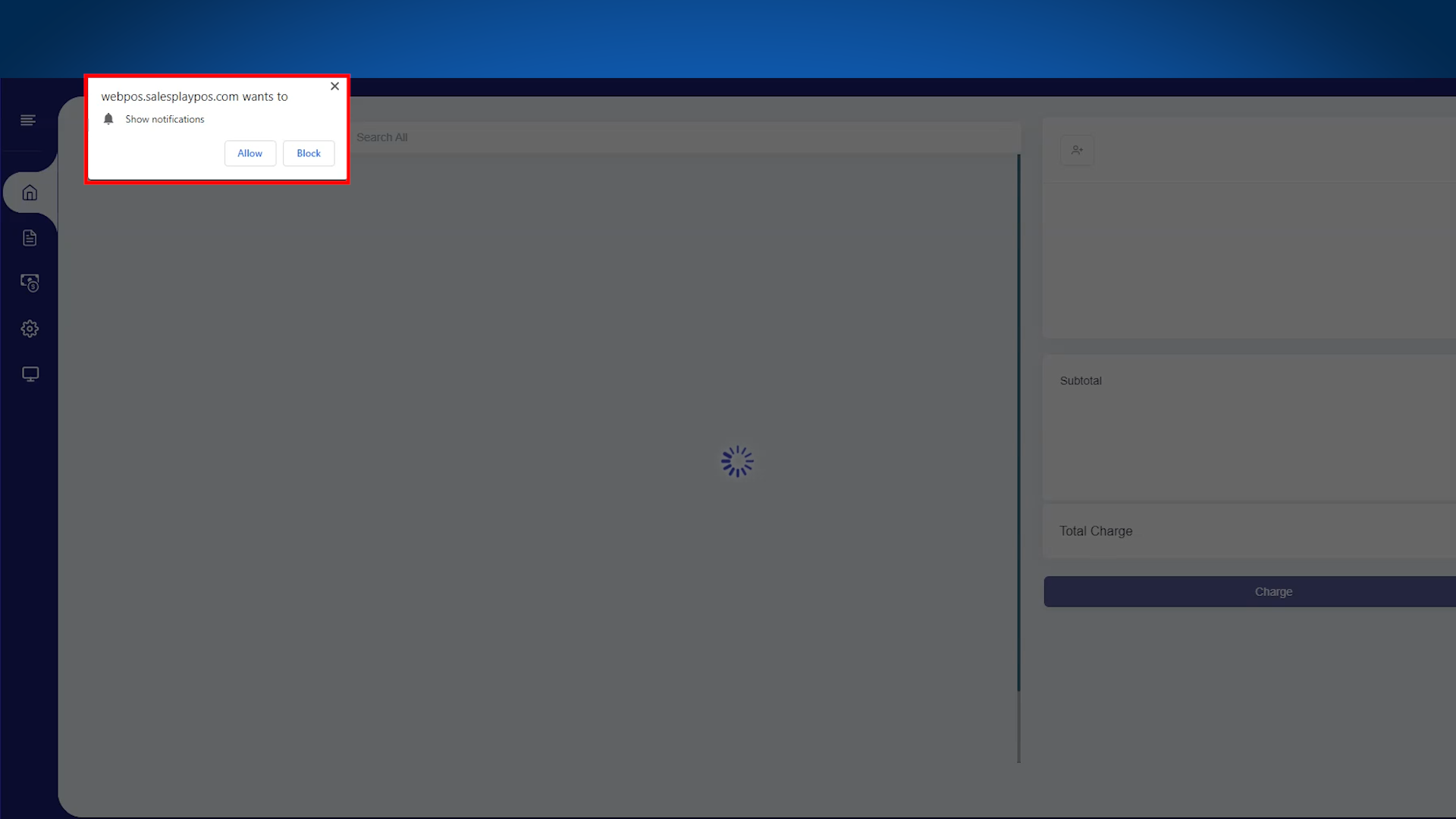
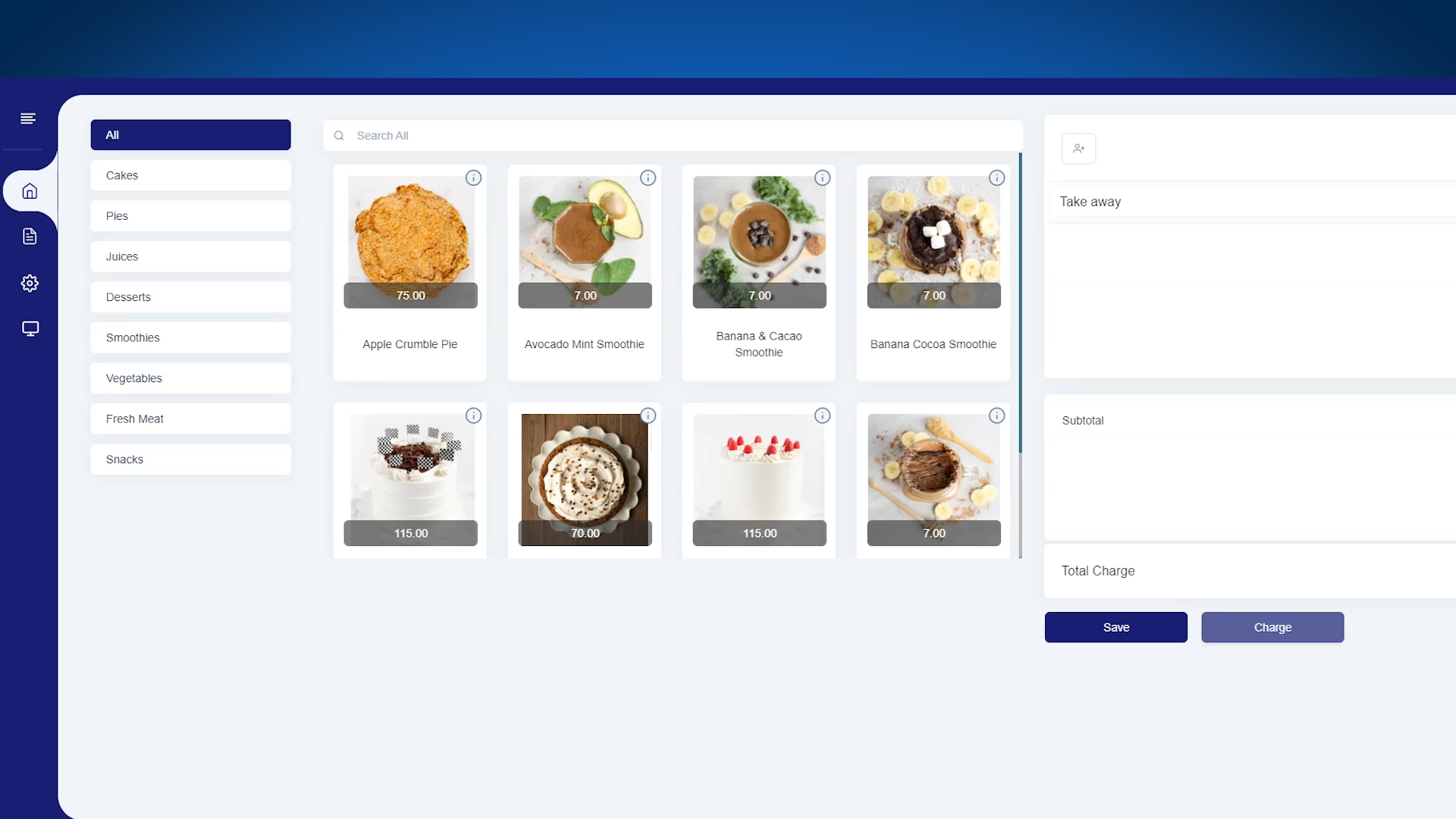
- Users have the option to access Vendtill Web POS directly through the Vendtill Backoffice. This can be easily accomplished by navigating to the "Settings" menu and selecting the "POS devices" section. Additionally, users can conveniently copy the web app's URL and bookmark it for quick and automated login purposes.
Related Articles
Let's Get Started with Vendtill Web POS App
Let's Get Started with Vendtill Web POS App Vendtill Website > 'Register for Web App' Special Note To access Vendtill Web POS seamlessly, it is recommended to use the Exe File option. After downloading, a desktop shortcut will be created for easy ...Sign Up Sign In Sign Out Log in and Log out Functions
App Registration, Login, and Password Management Guide Step-by-step The Vendtill POS App has been improved to make registration, login, and user management smoother, faster, and more secure. This article explains the key functions of the app, ...Web POS and Android POS App on Same Account
How to Link Vendtill Web POS with Android POS on the Same Account Step-by-step Users can now use both the Vendtill Android POS App and the Web POS version on their PCs. Example: You have a Vendtill Web POS account for your business and want to add an ...Complete Your Vendtill POS System Registration by Installing the App
Complete Your Vendtill POS System Registration by Installing the App Step By Step Process Thank you for completing the Vendtill POS System registration. To fully utilize our platform, please follow the instructions below to install the Vendtill app ...How to Use Xero Accounting Software with Vendtill POS
How to Use Xero Accounting Software with Vendtill POS Vendtill Back Office Why Integrate Xero with Vendtill POS? Integration provides a comprehensive and streamlined solution for managing financial operations directly from your POS system. 1. Login ...