How to Set up Table Layout

How to Set up Table Layout

Standard Table Layout Setup Process

Vendtill Back Office > Settings > Features > Reservations

1. How to Enable Table Layouts

This feature enables businesses to handle and organize reservations for various resources, such as rooms, tables, and seats. It helps manage their availability and scheduling, facilitating allocation for sales processes.

  1. Login to POS Back Office Web portal.
  2. Select 'Settings' from main menu. 
  3. Go  to the 'Feature'.
  4. Tick on the 'Reservations' button.
  5. Click 'Save'
How to Setup Standard Table Layout 
  1. Select 'Table/ Room'
  2. Click 'Add Table/Room'
  3. Click "Select Option" and select "Standard Layout."
  4. Enter Table / Room Name
  5. Select a Type
  6. Click 'Save.' 

Related Articles

1. Graphical Table Layout  

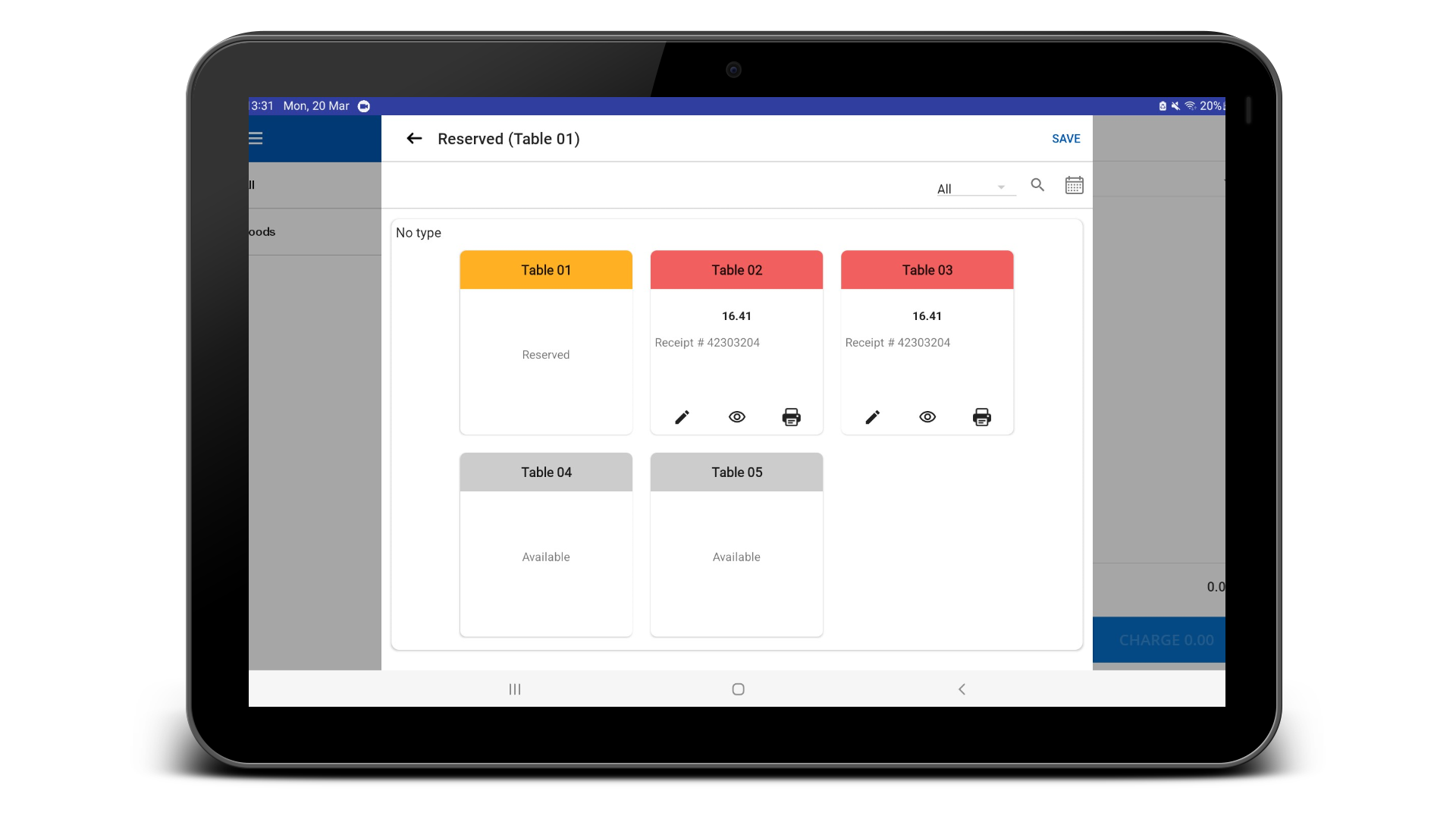
The image below illustrates the standard table layout within the POS app.

The status of the tables is shown with different colors:

White – available
Red- Occupied
Yellow – Reserved


    • Related Articles

    • Default Table View

      Start From Table View Feature in Vendtill POS Step-by-step guide The "Start From Table View " feature in Vendtill POS allows users to set a predefined table layout as the main interface for the POS system. This layout will be the default view before ...
    • How to Create Graphical Table Layout

      How to Create Graphical Table Layout Vendtill Back Office Special Note This option is available with Android and Web POS at the moment, operates in landscape mode and an internet connection is required to operate. You can't use both the standard and ...
    • Service Areas (Reservation Tables / Rooms Etc..)

      Service Areas (Reservation Tables / Rooms Etc..) Step-by-step process The "Service Areas" feature is a feature that helps businesses to manage their reservations more effectively. This feature is designed to handle various resources such as rooms, ...
    • Number of Pax Feature

      Number of Pax Feature Step-by-steps How to Use the "Number of Pax" Feature in Vendtill POS System The Vendtill POS system has an important feature called "Number of Pax," which allows businesses to assign a maximum number of persons (pax) to a ...
    • Vendtill Web POS – Retail Layout

      Vendtill Web POS – Home Screen Layout & Quick Cash Option Step-by-step Vendtill Web POS allows businesses to customize the home screen layout to meet specific operational needs. This flexibility ensures enhanced usability, improved workflow, and ...